On-behalf-of-user (OBO) authorization, which Databricks calls user authorization, lets a Databricks App call supported Databricks APIs with the identity of the person using it rather than the app's own account. Databricks forwards that user's access token to the app, and Unity Catalog applies the user's existing permissions, including row filters and column masks, to what the app requests. In a blog post dated October 7, 2026, Databricks announced that OBO for Databricks Apps is now generally available.

Two identities an app can use
Databricks Apps supports two authorization models, and the documentation treats them as complementary.
- App authorization. Every app gets a dedicated service principal when it is created. It is unique to that app, cannot be reused by other apps and is deleted when the app is deleted. Databricks injects its credentials into the app runtime as
DATABRICKS_CLIENT_IDandDATABRICKS_CLIENT_SECRET. All users share its permissions, so it cannot enforce per-user access. Databricks recommends it for background tasks, shared configuration, logging and calls to external services. - User authorization (OBO). The app acts as the signed-in user. Access follows that user's Unity Catalog permissions, so two people opening the same app can get different results.
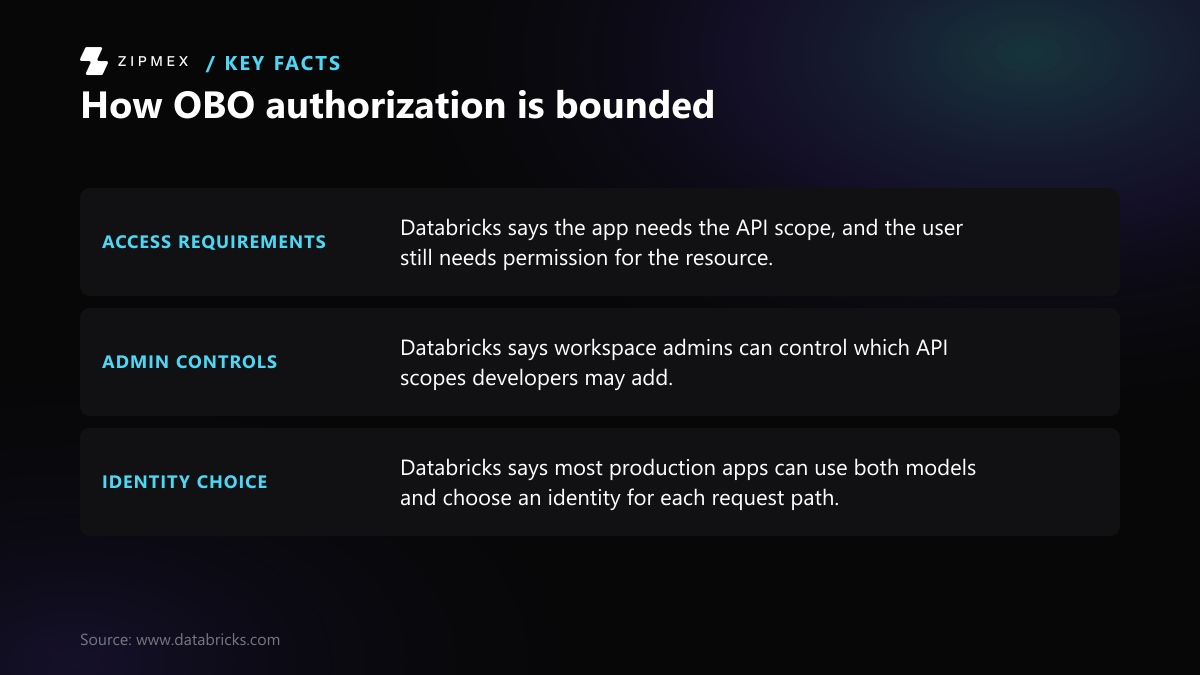
The GA announcement says most production apps use both models, with a separate client for each path: the service principal for app-owned work such as writing application metrics, and the user's identity for actions on governed data.
How a user-authorized request works
- A user opens the app. On first access, Databricks asks the user to consent to the scopes the app requests. Consent is given once per app and set of scopes, and users can review or revoke it in OAuth consent management.
- For each request, Databricks forwards the user's access token to the app in the
x-forwarded-access-tokenHTTP header. Separate headers carry identity details from the identity provider, such asX-Forwarded-User,X-Forwarded-EmailandX-Forwarded-Preferred-Username. - The app passes the token to the Databricks client it is calling. In the announcement's Flask example, it goes to the Databricks SQL Connector for Python as
access_token. - Databricks checks the call against the app's scopes and the user's permissions. Unity Catalog policies, including row filters and column masks, apply automatically. Policy changes made by administrators affect the next request.
The announcement describes the forwarded token as short-lived and per-request.
Which identity should run the request?
Which identity does Databricks describe for user-specific, app-owned and mixed operations, and what is an example of each?
| Operation | Identity used | Example from the announcement | Source |
|---|---|---|---|
| Governed data for the current user | Signed-in user (OBO), limited by API scopes and the user's Unity Catalog permissions | Read-only queries using the sql:restricted-query scope | Source: Now GA: Building permission-aware Databricks Apps with on-behalf-of-user… (databricks.com), Oct 7, 2026 |
| App-owned operations | The app's dedicated service principal | Reading shared configuration or writing application metrics | Source: Now GA: Building permission-aware Databricks Apps with on-behalf-of-user… (databricks.com), Oct 7, 2026 |
| Apps with both kinds of work | Both models, with the identity chosen for each request path | Service principal for metrics, user identity for governed queries | Source: Now GA: Building permission-aware Databricks Apps with on-behalf-of-user… (databricks.com), Oct 7, 2026 |
The rows follow the examples in the Databricks announcement and do not assess any particular app or workspace setup.
What a developer must configure
Add API scopes
Scopes define which Databricks APIs the app may call on the user's behalf. You add them under User authorization with +Add scope when you create or edit an app. From the Databricks CLI, pass user_api_scopes to databricks apps create, or update an existing app with apps create-update and an update_mask. The announcement also names Declarative Automation Bundles as a configuration path.
The documentation lists ten API scopes:
sql, for querying SQL warehousessql:restricted-query, for read-only SQL queriesfiles, for managing files and directoriesgenie, for managing a Genie agentai-gatewayai-functionsmodel-servingvector-searchpostgresapps
The documentation also lists SDK scopes (catalog.catalogs, catalog.connections, catalog.schemas, catalog.tables, workspace.workspace). Adding :read to one of these limits it to GET endpoints. Older names such as sql.warehouses, files.files, dashboards.genie and serving.serving-endpoints are deprecated and map to sql, files, genie and model-serving.
If you add no scopes, Databricks assigns iam.access-control:read and iam.current-user:read. According to the documentation, these do not grant access to data or compute.
Scopes cap what the app can do. They do not grant data access. In the announcement's words, scopes are "a capability ceiling, not a grant of data access". The user still needs warehouse access and the required Unity Catalog privileges. The reverse also applies: the documentation says Databricks blocks any functionality outside the approved scopes, even when the user has permission for it.
Handle the token in code
The GA announcement recommends:
- Read
x-forwarded-access-tokenon every request. Never store it across requests or in a session. - Fail closed. If the token is missing, return an error instead of falling back to the service principal.
- Never print, log or persist forwarded tokens.
- For agents, create the user-scoped workspace client inside the request-time invoke or stream handler, not at startup, because the token exists only during a request.
- Request the narrowest scope that works. For example, use
sql:restricted-queryrather thansqlfor a read-only app. - Keep app and user clients separate in code, tests and dependency wiring. Test with users who have different Unity Catalog access, and test again after policy changes.
What workspace admins control
Admins set a workspace allowlist of scopes under Settings > Development, in the Apps section, with the option Restrict OAuth scopes for apps to selected values. The default is All APIs. Choosing None turns off user authorization. From the CLI, the same allowlist is the allowedAppsUserApiScopes workspace setting, and an empty list ([]) disables the feature. Account admins can add scopes to an app even when those scopes are not on the workspace allowlist.
If admins remove a scope that an app already uses, the app keeps running. However, it cannot be started, deployed or updated until the disallowed scope is removed.
Databricks' "What's coming?" page lists automatic enablement of user authorization for workspaces with the compliance security profile, scheduled for late September 2026.
Cross-workspace access
The forwarded token works only in the workspace where the app runs, so it cannot query a SQL warehouse in another workspace. The documentation offers two workarounds: deploy the app in the warehouse's workspace, or use machine-to-machine (M2M) OAuth with a service principal. The second option gives up per-user enforcement, because every user shares the service principal's permissions.