✓ Quick Answer
To protect privacy in crypto apps, you should isolate your wallet apps using Android Work Profiles (with Shelter or Island apps) or iOS Private Space feature, use a dedicated VPN when accessing crypto services, and never display wallet apps on your home screen. For maximum security, pair your mobile hot wallet with a hardware cold wallet for larger holdings, implement MPC-based wallets like ZenGo for seedless recovery, and maintain strict operational security to prevent the growing threat of physical "wrench attacks."
With over $3.4 billion stolen in crypto hacks in 2025 - including the largest digital heist in history when North Korean hackers drained $1.5 billion from Bybit in February - protecting your cryptocurrency wallet apps has never been more critical. Physical "wrench attacks" hit a record 60-70 documented incidents in 2025 alone, while AI-powered threats like deepfake verification bypass and clipboard-hijacking malware represent an entirely new attack vector for 2026.
Whether you're concerned about surveillance, data leaks, AI-driven scams, or physical security threats, this comprehensive guide delivers actionable steps to isolate and protect your crypto apps on both Android and iOS devices.
The smartphone that holds your crypto wallet is likely the same device you use for social media, banking, and everyday communication. This creates multiple attack surfaces that criminals actively exploit - and the threats are evolving faster than ever.
⚠ 2026 Threat Alert
Illicit cryptocurrency addresses received at least $154 billion in 2025 - a 162% year-over-year increase according to Chainalysis. Nation-states are now actively weaponizing crypto infrastructure for sanctions evasion, while AI-powered attacks have increased 62% targeting financial verification systems.
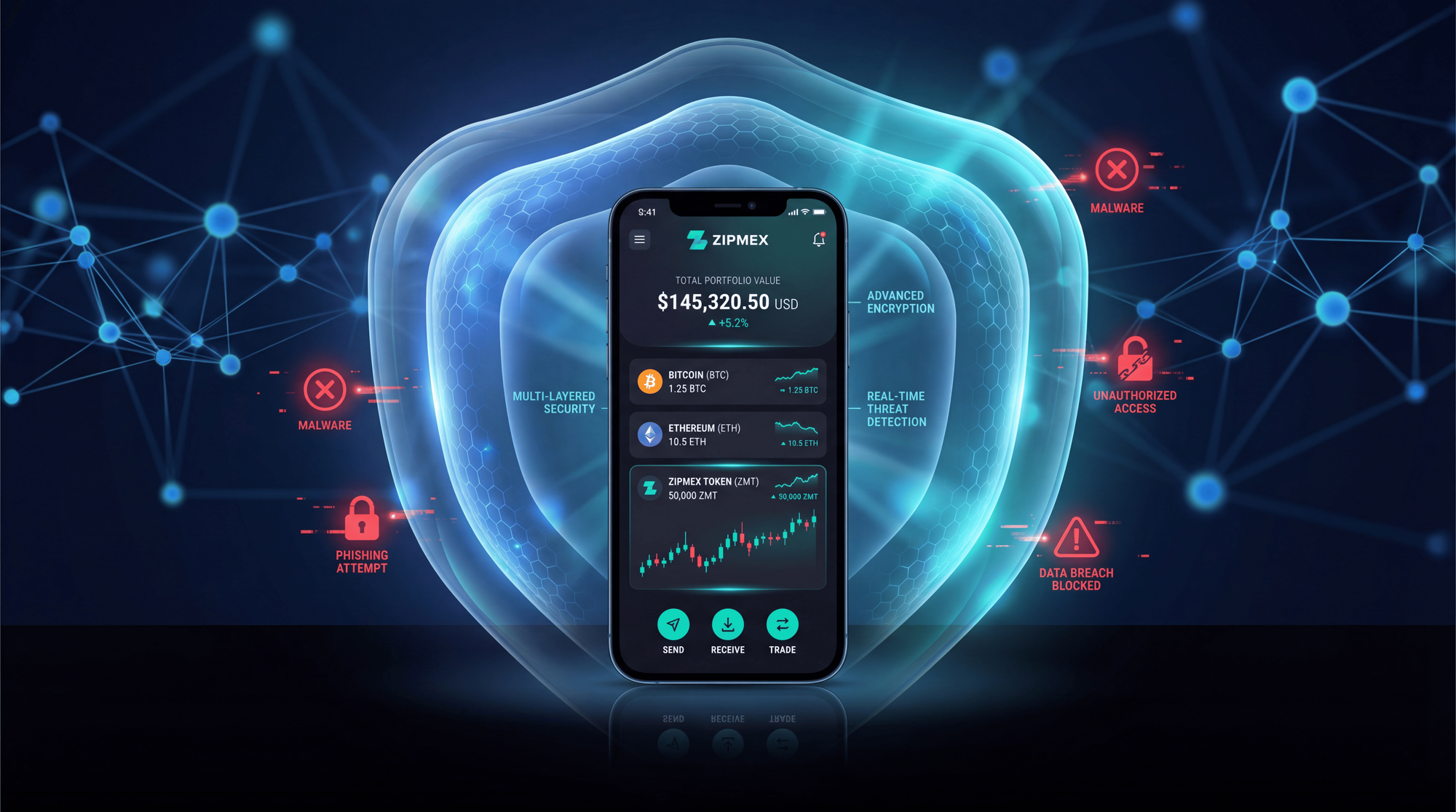
Why Crypto App Privacy Protection Matters More Than Ever in 2026
The cryptocurrency security landscape has fundamentally shifted. While 2024's $3.8 billion in losses was alarming, 2025 shattered all records — and 2026 is introducing entirely new threat categories that didn't exist 12 months ago.
The Evolving Threat Categories
📊 Key Security Statistics 2025-2026
- $3.4B+ stolen in crypto hacks in 2025 (new annual record)
- $1.5B - Bybit hack (February 2025) - largest digital heist ever
- 60-70 documented physical "wrench attacks" in 2025 (record year)
- +41% increase in mobile malware detections in 2026
- +62% surge in deepfake-enabled social engineering attacks
- 32% of mobile malware specifically targets financial data
- 84% of physical crypto attacks involve multiple perpetrators
- 45% of wrench attacks begin with social engineering
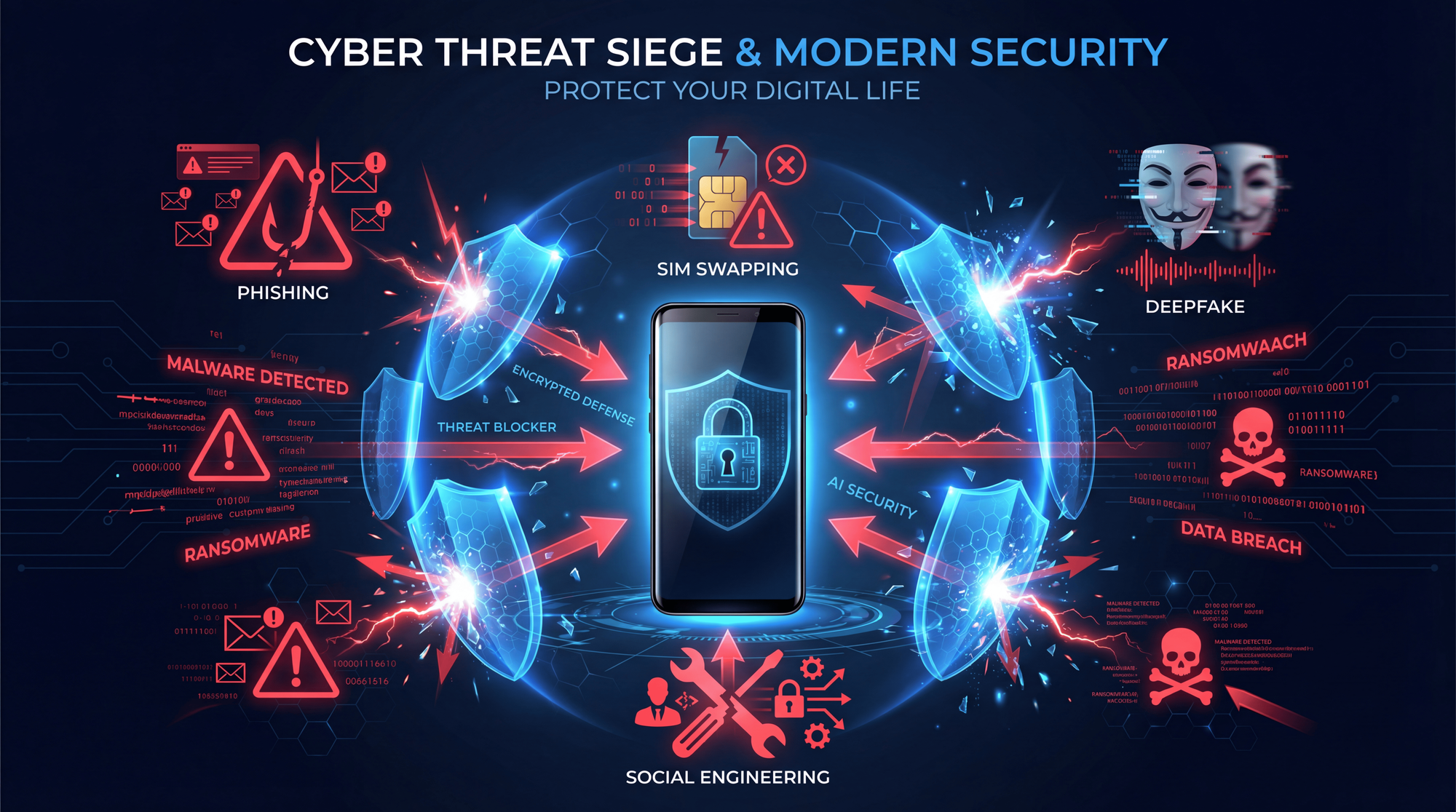
According to security researchers, these threats fall into five primary categories that crypto app users must understand:
1. Inter-App Data Leakage
Many apps request access to your contacts, photos, clipboard, and other data. A malicious or compromised app can harvest information about your crypto activities, including wallet addresses copied to clipboard or transaction screenshots.
Research on 457 cryptocurrency wallet apps revealed significant vulnerabilities related to excessive permissions, third-party library risks, and potential malware presence. Even legitimate apps may inadvertently expose your data through overly broad permission requests.
2. AI-Powered Attack Vectors (NEW 2026)
🤖 AI Threat Alert: New Attack Category
2026 marks a paradigm shift in crypto threats. Attackers now deploy AI-driven malware that rewrites its patterns to evade detection, deepfake voice technology to bypass identity verification calls, and automated phishing engines generating region-specific smishing messages. These AI-powered attacks have a 19% success rate against customer support teams according to Kroll's 2025 Threat Landscape Report.
ClipBanker Malware: This sophisticated threat monitors your clipboard for cryptocurrency addresses. When you copy a wallet address to send funds, ClipBanker instantly replaces it with an attacker-controlled address. The swap happens so quickly that most users never notice the difference until their funds disappear.
Deepfake Verification Bypass: Attackers combine stolen personal information with AI-generated deepfake audio during telecom support calls to execute SIM swaps. This technique has proven particularly effective against cryptocurrency exchanges that rely on phone verification.
3. Address Poisoning Attacks (Growing Threat)
Address poisoning has emerged as one of the most insidious attack methods. Criminals send tiny amounts of cryptocurrency to your wallet from addresses that closely mimic your own - often changing just a single character. When you later check your transaction history and copy an address for future transactions, you might unknowingly copy the fraudulent address.
In March 2024, an investor accidentally sent over 1,100 Wrapped Bitcoin (worth millions) to a hacker's address due to this exact method.
Protection Strategies:
- Always verify the COMPLETE wallet address before sending
- Use your wallet's address book feature for saved recipients
- Double-check the first 4 AND last 4 characters of any address
- Consider using ENS names or other human-readable address systems
4. Physical Access Attacks (Wrench Attacks)
Expert Analysis
"2025 was a record year for wrench attacks. The true number is likely significantly higher - many incidents are logged simply as robberies or burglaries, with the crypto element omitted, while others are never reported due to victim hesitation or uncertainty about how law enforcement will handle crypto-related crimes."
- Ari Redbord, Global Head of Policy, TRM Labs
The infamous "$5 wrench attack" refers to criminals using physical coercion to access your crypto. These attacks have become increasingly sophisticated and violent:
Notable 2025 Incidents:
- Ledger co-founder kidnapping (January 2025, France): David Balland and his wife held for 24 hours before police rescue
- Vancouver home invasion (2024, disclosed 2025): Couple waterboarded, daughter sexually assaulted for $1.6M in Bitcoin
- San Francisco targeted robbery (November 2025): Organized crime group stole $11M in ETH and BTC
- London Uber scam: US resident lured into wrong vehicle, drugged, robbed of $122K in XRP and BTC
Analysis of 60+ physical attacks between 2024-2025 reveals:
- 84% involved multiple perpetrators (group operations)
- 45% began with social engineering (fake deliveries, utility workers, conference contacts)
- Target values ranged from $5,000 to $50,000,000
- Attacks correlate with Bitcoin price movements and major data breaches
5. Network Surveillance
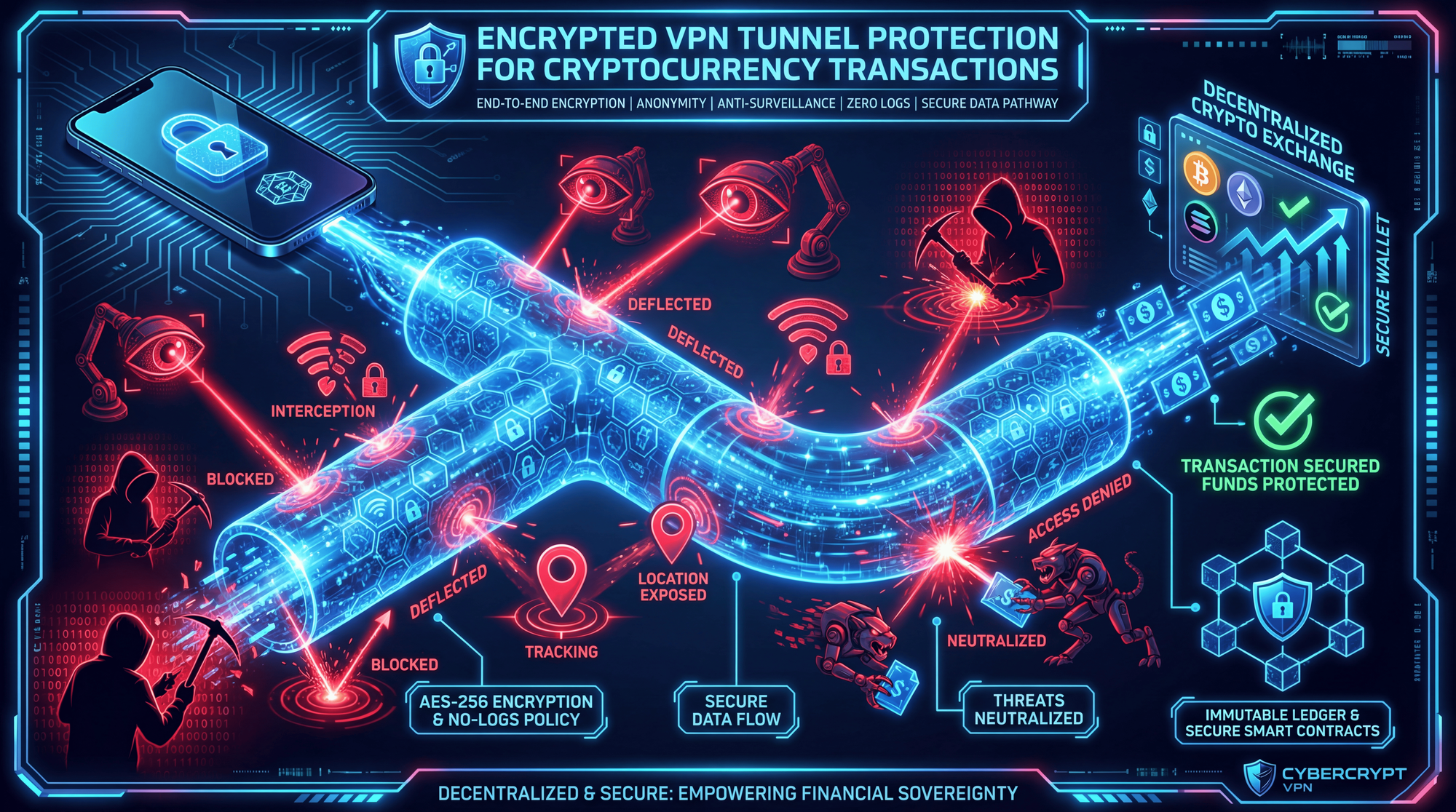
Without VPN protection, your ISP, government agencies, or malicious actors on shared networks can monitor your crypto activities. This includes:
- Exchange logins and trading patterns
- Wallet addresses you interact with
- DeFi protocol usage
- Transaction timing and amounts
Android App Isolation: Complete Setup Guide
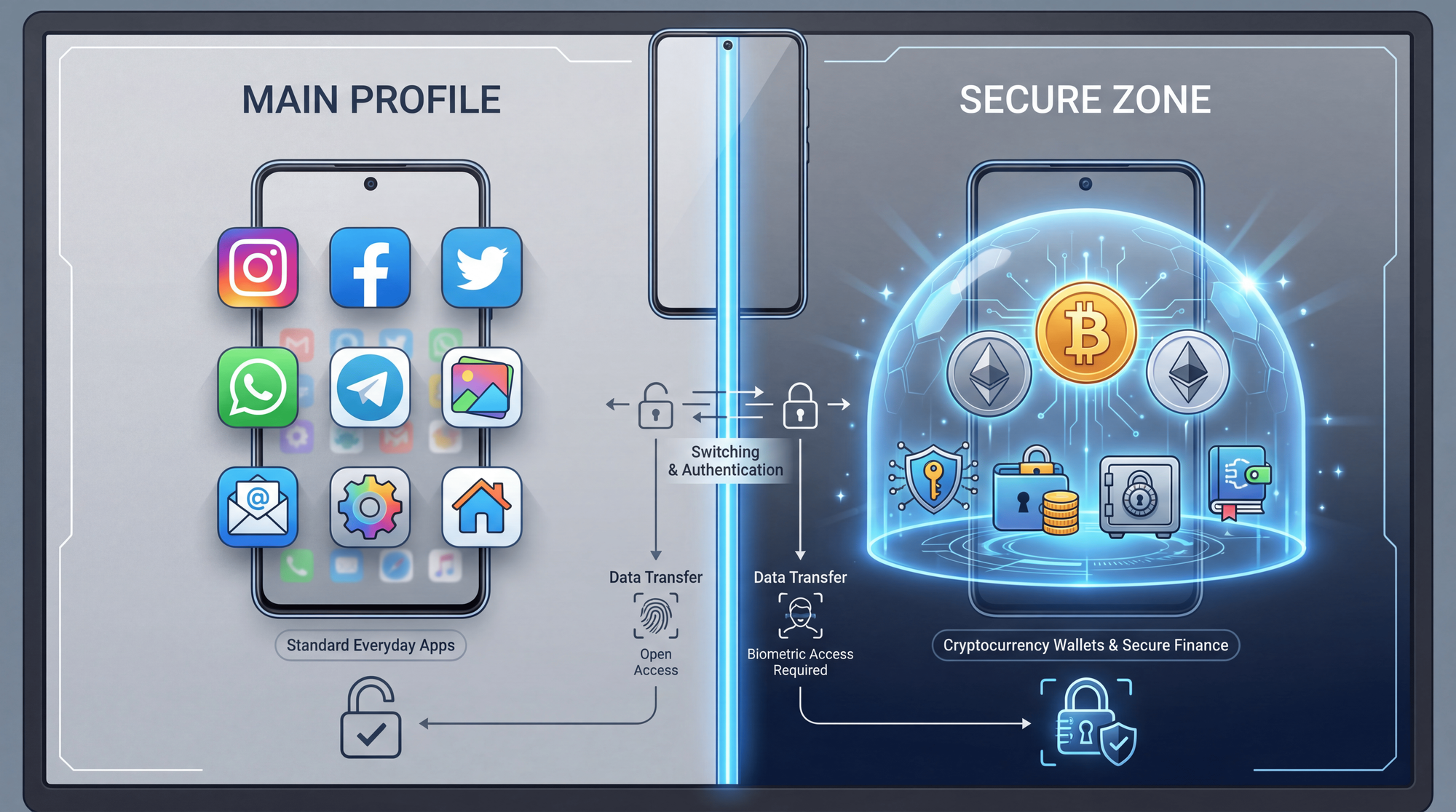
Android's architecture provides powerful tools for isolating your crypto apps from the rest of your device. The key is creating a completely separate environment where your financial apps operate independently.
Method 1: Shelter App (Recommended for Most Users)
Shelter is a free, open-source app that creates a Work Profile on your Android device. Apps installed in the Work Profile are completely isolated from your main profile - they cannot access your personal contacts, files, photos, or any data from apps in your main profile.
💡 Pro Tip: Freeze for Maximum Privacy
After cloning your crypto wallet to Shelter, uninstall the original app from your main profile. Then use the "Freeze" feature to prevent the isolated app from running any background services when not in use - this completely blocks its ability to leak data or drain battery.
Step-by-Step Setup:
- Download Shelter from F-Droid (recommended for security)
- Create Work Profile - follow the setup wizard to establish the isolated environment
- Clone your crypto apps - use Shelter to install copies in the Work Profile
- Remove originals - uninstall the original apps from your main profile
- Configure auto-freeze - set apps to freeze when not actively in use
Method 2: Island App (Alternative)
Island (developed by Oasis Feng, creator of Greenify) uses Android's Managed Profiles feature to create an isolated sandbox. It automatically clones your contacts, files, and system apps into the isolated environment, ensuring that isolated apps can only access data within that sandbox.
Best for: Users who need isolated apps to have their own separate contacts or files
Method 3: Samsung Secure Folder (Samsung Devices Only)
Samsung's Knox Separated Apps creates a secure, encrypted area on your device protected by a separate password, PIN, or biometric authentication. IT admins and individual users can isolate third-party apps from personal apps.
Advantages:
- Hardware-backed encryption (Knox security chip)
- Separate app instances with different accounts
- Hidden from main app drawer
- Protected by additional authentication layer
Method 4: Multiple User Profiles (Most Secure)
Navigate to Settings → System → Users to create a separate user profile. Each profile is encrypted with its own key and cannot access data from other profiles.
⚙ Android Isolation Methods Comparison
| Method | Security Level | Convenience | Best For |
|---|---|---|---|
| Shelter/Island | ⭐⭐⭐⭐ | ⭐⭐⭐⭐⭐ | Most users |
| Samsung Secure Folder | ⭐⭐⭐⭐⭐ | ⭐⭐⭐⭐ | Samsung owners |
| Separate User Profile | ⭐⭐⭐⭐⭐ | ⭐⭐⭐ | Maximum security |
| GrapheneOS | ⭐⭐⭐⭐⭐ | ⭐⭐ | Privacy maximalists |
Method 5: GrapheneOS (Privacy-Focused OS)
For maximum security, consider GrapheneOS - a hardened Android variant with sandboxed Google Play Services. It provides stronger isolation between apps by default and removes many tracking features present in standard Android.
Requirements: Pixel phones only (Pixel 6 or newer recommended)
iOS Privacy Features for Crypto Apps
Apple's iOS offers fewer isolation options due to its closed ecosystem, but iOS 18 introduced significant privacy improvements that crypto users should leverage:
Private Space (iOS 15+)
Navigate to Settings → Security & Privacy → Private Space to create a separate area at the bottom of your app drawer. Apps in Private Space:
- Require additional authentication to access
- Don't appear in regular app lists
- Are excluded from Spotlight search results
Hidden Apps (iOS 18+)
iOS 18 allows you to hide apps completely:
- Long-press on the app icon
- Select "Require Face ID"
- Choose "Hide and Require Face ID"
Hidden apps move to a hidden folder only accessible via Face ID, and their notifications are suppressed.
Apple Secure Enclave
iPhones include a dedicated hardware security processor that stores private keys separately from the main system. Many crypto wallets like ZenGo and Coinbase Wallet leverage this feature for enhanced key protection. When choosing an iOS wallet, verify it utilizes Secure Enclave for key storage.
Stolen Device Protection (iOS 18)
Enable Stolen Device Protection in iOS 18 to add security delays before sensitive actions can be performed when your device is away from familiar locations. This provides crucial extra time if your phone is stolen while unlocked.
💡 iOS Security Stack
For maximum iOS security, combine: Hidden Apps (prevent discovery) + Stolen Device Protection (delay unauthorized changes) + Secure Enclave wallets (hardware key protection) + Lockdown Mode (extreme threat protection for high-risk users).
VPN Protection for Crypto Users
A Virtual Private Network (VPN) encrypts your internet connection and masks your IP address, preventing network-level surveillance of your crypto activities. This is especially important when accessing DeFi protocols or trading on exchanges.
VPN Selection Criteria for Crypto Users
Not all VPNs are suitable for crypto users. Look for these essential features:
🔐 Essential VPN Features
| Feature | Why It Matters |
|---|---|
| No-Logs Policy | Provider cannot hand over your browsing history even if compelled |
| Kill Switch | Blocks internet if VPN disconnects, preventing IP exposure |
| Crypto Payment | Pay anonymously without linking payment identity |
| RAM-Only Servers | Data wiped on every reboot - no persistent storage |
| Privacy Jurisdiction | Based outside 14-Eyes surveillance alliance |
Recommended VPNs for Crypto
Tier 1 - Maximum Privacy:
- Mullvad - Anonymous accounts, accepts Monero/Bitcoin, RAM-only servers
- IVPN - Transparent audits, no email required, crypto payments
- ProtonVPN - Swiss jurisdiction, open-source apps, Secure Core servers
Tier 2 - Crypto-Native:
- Orchid - Decentralized VPN using OXT cryptocurrency
- Mysterium - P2P VPN with crypto payments
VPN Configuration Best Practices
💡 Pro Tip: Profile-Specific VPN
Install the VPN inside your isolated Work Profile so it only protects your crypto apps without affecting your regular browsing patterns. This creates a clear separation between your crypto activities and normal internet usage, making traffic analysis significantly harder.
Configuration steps:
- Configure VPN to auto-connect on device startup
- Enable the kill switch to prevent any unprotected traffic
- Use WireGuard protocol for best performance and security
- Select servers in privacy-friendly jurisdictions
- Enable DNS leak protection in VPN settings
Choosing and Securing Your Crypto Wallet
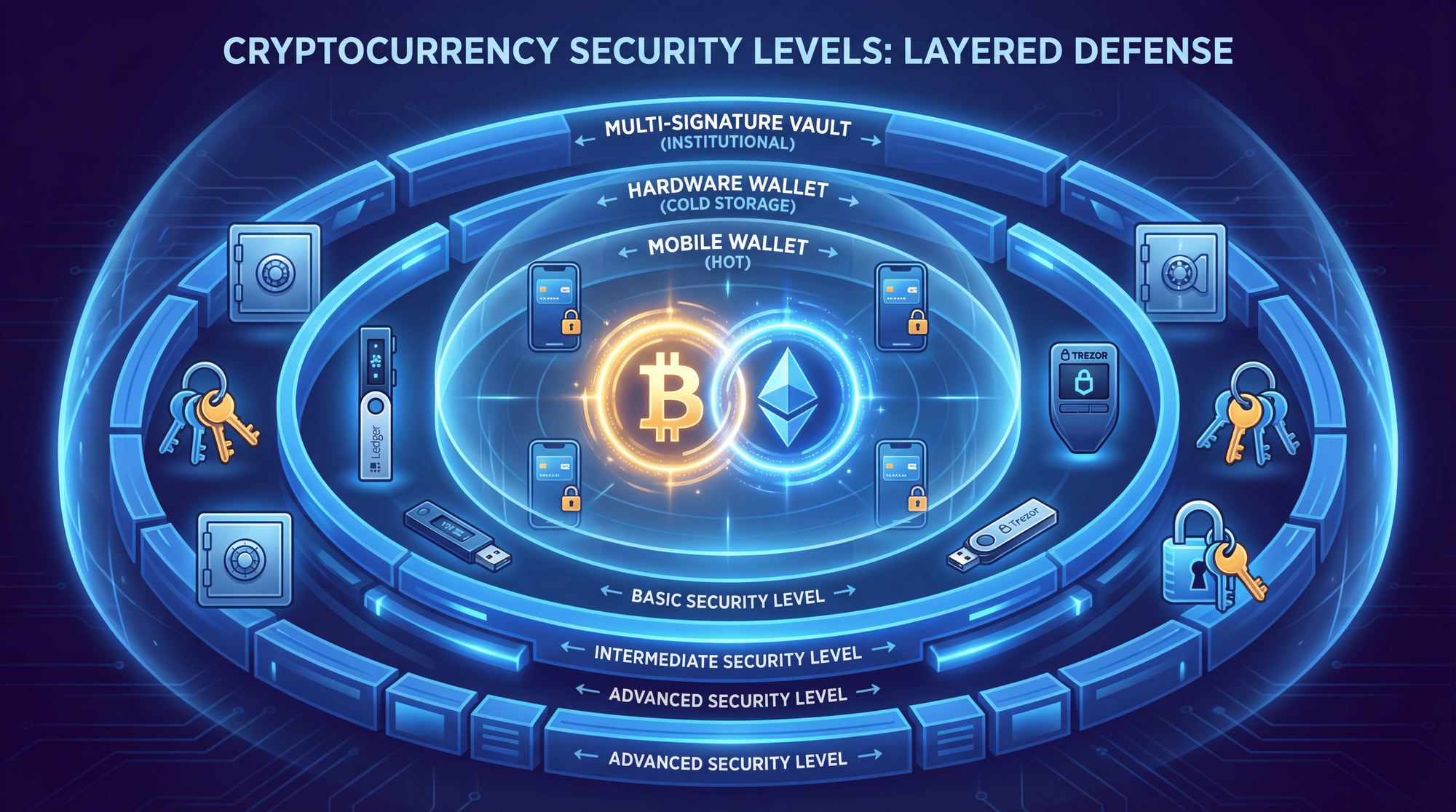
The Hot/Cold Wallet Strategy
Never keep all your crypto in one place. Implement a tiered security approach:
Hot Wallet (Mobile): Keep only what you need for daily transactions - typically $100-500 worth. This is your "spending money" wallet that you can afford to lose in a worst-case scenario.
Cold Wallet (Hardware): Store 90%+ of your holdings in a hardware wallet like Ledger or Trezor. These devices keep your private keys offline and require physical confirmation for transactions.
Hardware Wallet Comparison 2026
🔐 Hardware Wallet Comparison
| Wallet | Security | Air-Gap | Coins | Price |
|---|---|---|---|---|
| Trezor Safe 5 | EAL6+ / Open-source | No | 1,000+ | $169 |
| Ledger Stax | EAL5+ / Closed | No | 5,500+ | $399 |
| Ellipal Titan 2.0 | EAL5+ / Air-gapped | ✓ QR Only | 10,000+ | $169 |
| Cypherock X1 | Distributed keys | No | 3,000+ | $199 |
| Tangem | EAL6+ / NFC cards | ✓ Offline | 6,000+ | $55-155 |
Understanding MPC Wallets (NEW Technology 2026)
Multi-Party Computation (MPC) represents a fundamental shift in wallet security. Instead of a single private key (or seed phrase), MPC wallets create two independent "secret shares":
- One share stored on your device
- One share secured on the wallet provider's servers
How it works: Both shares must work together to approve transactions, but neither share alone can access your funds. This eliminates the single point of failure that traditional seed phrases represent.
ZenGo is the leading consumer MPC wallet, claiming zero hacks among 1+ million users. It uses 3-factor authentication (biometric + device + recovery file) instead of seed phrases.
💡 MPC vs Traditional: Which to Choose?
Choose MPC wallets (ZenGo) if you're concerned about seed phrase theft or loss - perfect for mobile hot wallets and users who want institutional-grade security without complexity.
Choose traditional hardware wallets for cold storage of large holdings where you want complete self-custody with no third-party involvement.
Privacy-Focused Mobile Wallets
🔒 Top Privacy Wallets 2026
Unstoppable Wallet
No KYC, Tor-enabled, supports shielded Zcash, open-source, DeFi integrated
ZenGo
MPC security (no seed phrase), Secure Enclave, 24/7 support, 120+ coins
Wasabi Wallet
Bitcoin-only, built-in CoinJoin mixing, Tor by default, desktop focus
Best Wallet
60+ blockchains, built-in DEX, no KYC purchases, mobile-first design
Preventing Physical "Wrench" Attacks
Expert Analysis
"As cryptocurrency adoption grows and more value is held directly by individuals, criminals are increasingly incentivized to bypass technical defenses altogether and target people instead. These attacks don't rely on complex hacking techniques - they rely on something much simpler: physical force."
- Chainalysis, 2026 Crypto Crime Report
Why Physical Attacks Are Increasing
- Better exchange security forces attackers toward softer targets (individuals)
- Rising crypto prices increase incentives for high-risk attacks
- Data breaches (Coinbase 2025, Ledger 2020) provide targeting information
- Social media displays of wealth make target selection easy
- Crypto's irreversibility makes successful theft permanent
The Decoy Wallet Strategy
Maintain a "duress wallet" with a small amount of cryptocurrency ($50-200) that you can surrender under threat. This wallet should:
- Be easily accessible under stress
- Contain enough value to seem legitimate
- Be completely separate from your main holdings
- Allow you to claim "this is all I have"
Multi-Signature + Time Locks
For significant holdings, implement technical barriers that make rapid forced transfers impossible:
Multi-Signature Wallets: Require 2-of-3 or 3-of-5 keys to authorize transactions. Store keys in different physical locations (home safe, bank deposit box, trusted family member).
Time-Locked Transactions: Configure your wallet to require a 24-48 hour delay before large transfers can complete. This provides time for intervention even if you're coerced.
Conference & Event OPSEC
Research shows 45% of wrench attacks begin with social engineering, often at crypto conferences and events. Protect yourself:
⚠ Conference Safety Rules
- Never discuss your holdings - even rough amounts or percentages
- Use a burner phone for conference networking
- Never accept drinks you didn't watch being prepared/opened
- Verify meeting locations - prefer public spaces during daylight
- Share your itinerary with a trusted contact
- Use verified transportation - no "suggested" Ubers from new contacts
- Be wary of instant rapport - social engineers are trained to build trust quickly
General OPSEC Practices
- Never display crypto wallet apps on your Home Screen - someone seeing multiple wallet apps may identify you as a target worth following
- Disable lock screen notifications for crypto apps
- Don't discuss crypto holdings on social media - even "humblebrags" attract attention
- Use different email addresses for crypto accounts vs personal life
- Consider a separate phone number for exchange accounts (not linked to your main identity)
What To Do If You're Compromised
🚨 Emergency Response Checklist
If you suspect your wallet or accounts have been compromised, act IMMEDIATELY. Minutes matter.
- Move remaining funds to a secure wallet with different seed phrase
- Contact exchanges where your addresses may send funds - request emergency freezes
- Document everything - screenshots of transactions, wallet addresses, timestamps
- Report to blockchain analytics firms (Chainalysis, TRM Labs, Elliptic) for tracking
- File police report with wallet addresses and transaction hashes
- Rotate all credentials - email passwords, exchange logins, 2FA seeds
- Check for SIM swap - contact your carrier immediately if phone service is interrupted
Important Contacts
- FBI IC3 (US): ic3.gov - for significant crypto theft
- Action Fraud (UK): actionfraud.police.uk
- Chainalysis Incident Response: contact through exchanges
- Exchange emergency lines: Most major exchanges have 24/7 security teams
Complete Crypto App Security Checklist 2026
✓ Complete Security Implementation Checklist
📱 Device Security
- ☐ Biometric authentication enabled (Face ID / Fingerprint)
- ☐ Strong alphanumeric passcode (not just 4-6 digits)
- ☐ Auto-lock after 30 seconds of inactivity
- ☐ Remote wipe capability configured (Find My iPhone / Find My Device)
- ☐ Operating system updated to latest version
- ☐ Stolen Device Protection enabled (iOS 18)
🔒 App Isolation
- ☐ Work Profile created (Shelter/Island on Android)
- ☐ Crypto apps installed only in isolated profile
- ☐ Original apps removed from main profile
- ☐ Apps set to auto-freeze when not in use
- ☐ VPN installed inside isolated profile
- ☐ Crypto apps hidden from home screen
🌐 Network Security
- ☐ No-logs VPN installed and configured
- ☐ Kill switch enabled
- ☐ Auto-connect on startup enabled
- ☐ DNS leak protection verified
- ☐ Public WiFi never used for crypto transactions
💰 Wallet Security
- ☐ Hot wallet contains only spending money ($100-500)
- ☐ Hardware wallet purchased for main holdings
- ☐ Seed phrase written on paper (never digital)
- ☐ Seed phrase stored in secure location (safe deposit box)
- ☐ Decoy wallet prepared with sacrificial amount
- ☐ Multi-sig configured for large holdings
- ☐ Time-locks enabled where possible
🛡 OPSEC
- ☐ No crypto discussions on social media
- ☐ Separate email for crypto accounts
- ☐ Hardware key 2FA (not SMS) for exchanges
- ☐ Address book used for frequent recipients
- ☐ Full address verified before every transaction
- ☐ Cloud backups disabled for wallet apps
Frequently Asked Questions
Can other apps on my phone spy on my crypto wallet?
Yes. Malicious apps with excessive permissions can access your clipboard (capturing copied wallet addresses), take screenshots, read notifications, and monitor your network traffic. Research on 457 cryptocurrency wallet apps found significant vulnerabilities related to permissions and third-party libraries. This is why app isolation using Work Profiles or Secure Folders is essential for protecting your crypto activities from other apps on your device.
Is Android or iOS more secure for crypto apps?
Both platforms can be secured effectively, but with different approaches. iOS offers a more controlled ecosystem with features like Secure Enclave for hardware-protected key storage and Lockdown Mode for extreme threats. Android provides more flexibility with Work Profiles, multiple user accounts, and the option to use privacy-focused OS variants like GrapheneOS. For maximum security on Android, consider GrapheneOS on a Pixel device with sandboxed Google Play Services.
Do I really need a VPN for cryptocurrency trading?
Yes. Without VPN protection, your ISP and potentially government agencies can monitor your crypto activities, including which exchanges you use, when you trade, and your transaction patterns. A quality no-logs VPN with a kill switch prevents this network-level surveillance. Choose VPNs that accept cryptocurrency payments for additional privacy, such as Mullvad, IVPN, or ProtonVPN.
How much cryptocurrency should I keep on my phone?
Keep only what you need for daily transactions - typically $100-500 worth. This should be an amount you can afford to lose completely in a worst-case scenario like theft, phone loss, or a wrench attack. Store 90%+ of your holdings in a hardware wallet (cold storage) like Ledger Stax, Trezor Safe 5, or air-gapped devices like Ellipal Titan.
What is a "wrench attack" and how do I protect against it?
A wrench attack involves physical coercion to force you to transfer cryptocurrency - named after the idea that a $5 wrench can bypass any digital security. In 2025, approximately 60-70 such attacks were documented (a record year), with 84% involving multiple perpetrators and 45% beginning with social engineering. Protect yourself by: never displaying crypto wealth publicly, maintaining a decoy wallet with sacrificial funds, using multi-signature wallets requiring multiple physical keys, implementing time-locks on large transfers, and maintaining strict operational security especially at crypto events.
What is address poisoning and how do I avoid it?
Address poisoning is when attackers send tiny amounts of cryptocurrency to your wallet from addresses that closely mimic yours or your frequent contacts' addresses - often changing just a single character. When you later copy an address from your transaction history, you might copy the fraudulent address instead. In March 2024, one victim lost over 1,100 Wrapped Bitcoin this way. Protect yourself by always verifying the COMPLETE address before sending, using your wallet's address book for saved recipients, and checking both the first 4 AND last 4 characters of any address.
How should I store my seed phrase to prevent theft?
Never store your seed phrase digitally - no photos, no cloud storage, no password managers, no notes apps. Write it on paper or engrave it on metal (for fire/water protection) and store it in a secure physical location like a home safe or bank safety deposit box. Consider splitting the phrase across multiple locations using Shamir's Secret Sharing. For very large holdings, use multi-signature wallets where no single seed phrase controls the funds. Hardware wallets like Cypherock distribute key shares across multiple cards, eliminating the single-seed vulnerability entirely.
What are MPC wallets and are they safer than regular wallets?
MPC (Multi-Party Computation) wallets like ZenGo split your private key into multiple "secret shares" - one on your device and one on the provider's servers. Neither share alone can access funds. This eliminates the risk of seed phrase theft or loss. ZenGo claims zero hacks among 1+ million users. MPC wallets are excellent for mobile hot wallets, but for maximum cold storage security, traditional hardware wallets with complete self-custody remain the gold standard since they don't rely on any third party.
How do AI-powered attacks target crypto users in 2026?
AI-powered attacks have surged 62% in 2026, including: deepfake voice calls that impersonate you to bypass telecom verification for SIM swaps; ClipBanker malware that instantly replaces copied wallet addresses with attacker addresses; AI-generated phishing messages personalized to your region and profile; and automated systems that identify targets by analyzing social media for crypto wealth signals. Protect yourself by using hardware keys instead of phone-based 2FA, always verifying full wallet addresses before transactions, and never discussing holdings publicly.
Can police recover stolen cryptocurrency?
Recovery is difficult but increasingly possible. Blockchain analytics firms like Chainalysis and TRM Labs can trace stolen funds, and exchanges may freeze assets that arrive at their platforms from known theft addresses. Law enforcement agencies are improving their crypto investigation capabilities. To maximize recovery chances: act immediately by contacting exchanges where your addresses may send funds; document all wallet addresses and transaction hashes; file a police report; and report to blockchain analytics firms. Recovery rates are higher when funds move to regulated exchanges versus privacy-focused services or mixers.
Secure Your Crypto Today
Ready to Trade Securely?
Implement these security practices and start building your crypto portfolio with confidence. Zipmex provides a secure, regulated platform for buying and trading [Bitcoin](https://zipmex.com/blog/btc/) and other digital assets.
Start Trading on Zipmex →Investment Disclaimer: This article is for informational purposes only and does not constitute financial, investment, or security advice. Cryptocurrency investments carry significant risk - you could lose all of your capital. Always conduct your own research and consider consulting with a qualified professional before making investment decisions. The security measures described may not prevent all types of attacks or losses. Past security performance does not guarantee future protection. Zipmex is not responsible for any losses resulting from following or not following this guidance.