📌 Quick Answer
The safest way to store crypto in 2026 is using a hardware wallet (like Ledger, Trezor, or Tangem, starting at $55) combined with a metal seed phrase backup. Keep 90% of holdings in cold storage and only 10% on exchanges for trading. The biggest risk isn't hackers - it's losing your seed phrase, which means losing your crypto forever.
In 2025, hackers stole a record-breaking $2.78 to $4.04 billion in cryptocurrency - depending on which security firm you ask. The Bybit hack alone drained $1.5 billion in a single attack, making it the largest crypto heist in history. North Korean state-sponsored hackers (Lazarus Group) were responsible for over $2 billion of the total, funding their weapons programs with stolen crypto.
If your crypto is sitting on an exchange, you're essentially trusting strangers with your money - and as history shows, that trust can evaporate overnight.
⚠ The Brutal Reality of 2025
When you keep crypto on an exchange, you don't actually own it. The exchange holds the private keys, meaning they control your assets. If the exchange gets hacked, goes bankrupt, or freezes withdrawals, you may lose everything - with no legal recourse. Only 13.2% of stolen crypto was recovered in 2025.
This guide will walk you through everything you need to know about storing crypto safely: the different wallet types, step-by-step setup instructions, the new AI-powered threats to watch for, and the critical mistakes that cost people millions. Whether you hold $500 or $500,000 in crypto, these principles apply equally.

Why Self-Custody Matters More Than Ever in 2026
The collapse of FTX in 2022, where users lost access to billions in deposits, proved that even the biggest exchanges aren't immune to catastrophic failure. The Bybit hack of February 2025 showed that sophisticated state-sponsored attackers can breach even well-funded platforms. And the rise of AI-powered scams has made phishing attacks more convincing than ever.
📉 2025 Crypto Theft by the Numbers
$2.78-4.04B
Total Stolen in 2025
$1.5B
Bybit Hack (Feb 2025)
$2.02B
North Korea (DPRK)
13.2%
Recovery Rate
The crypto community has a saying: "Not your keys, not your coins." This isn't just philosophy - it's a practical reality that has cost millions of people their life savings. When you control your private keys through self-custody, no exchange hack, bankruptcy, or government freeze can touch your assets.
Understanding Crypto Wallets: Hot vs. Cold Explained
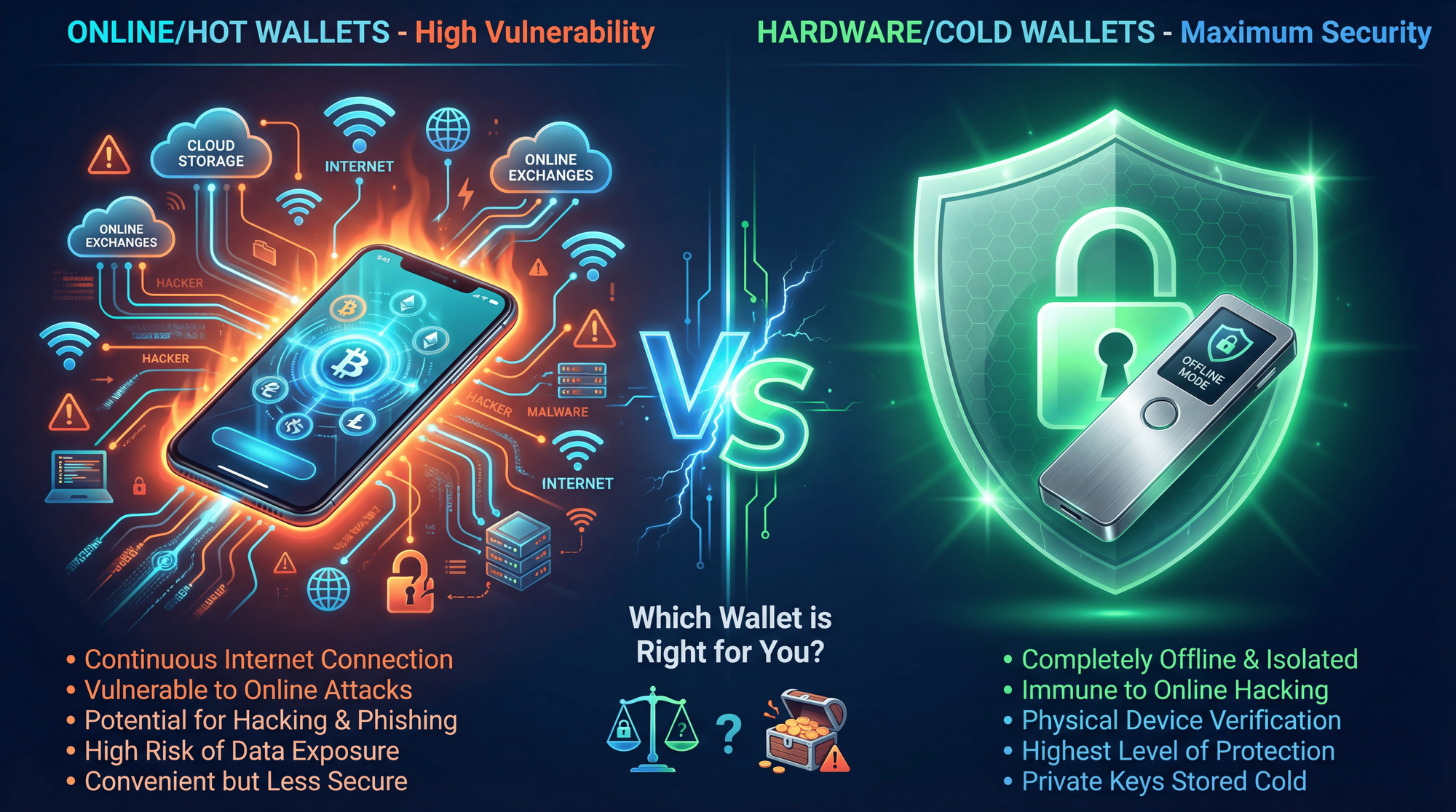
Before diving into specific recommendations, you need to understand the fundamental difference between wallet types. Think of it like the difference between carrying cash in your pocket versus keeping it in a bank vault.
Hot Wallets (Software Wallets)
Hot wallets are applications that run on your phone, computer, or web browser. They're "hot" because they're always connected to the internet.
Examples: MetaMask, Trust Wallet, Coinbase Wallet, Exodus, Phantom
Best for: Small amounts you need quick access to, daily transactions, interacting with DeFi apps and NFT marketplaces
Risks: Vulnerable to malware, phishing attacks, browser exploits, and remote hacking. In 2025, personal wallet compromises accounted for 44% of all stolen value - up from just 7.3% in 2022.
Cold Wallets (Hardware Wallets)
Cold wallets are physical devices that store your private keys completely offline. They only connect to the internet momentarily when you're signing a transaction, and even then, the private key never leaves the device.
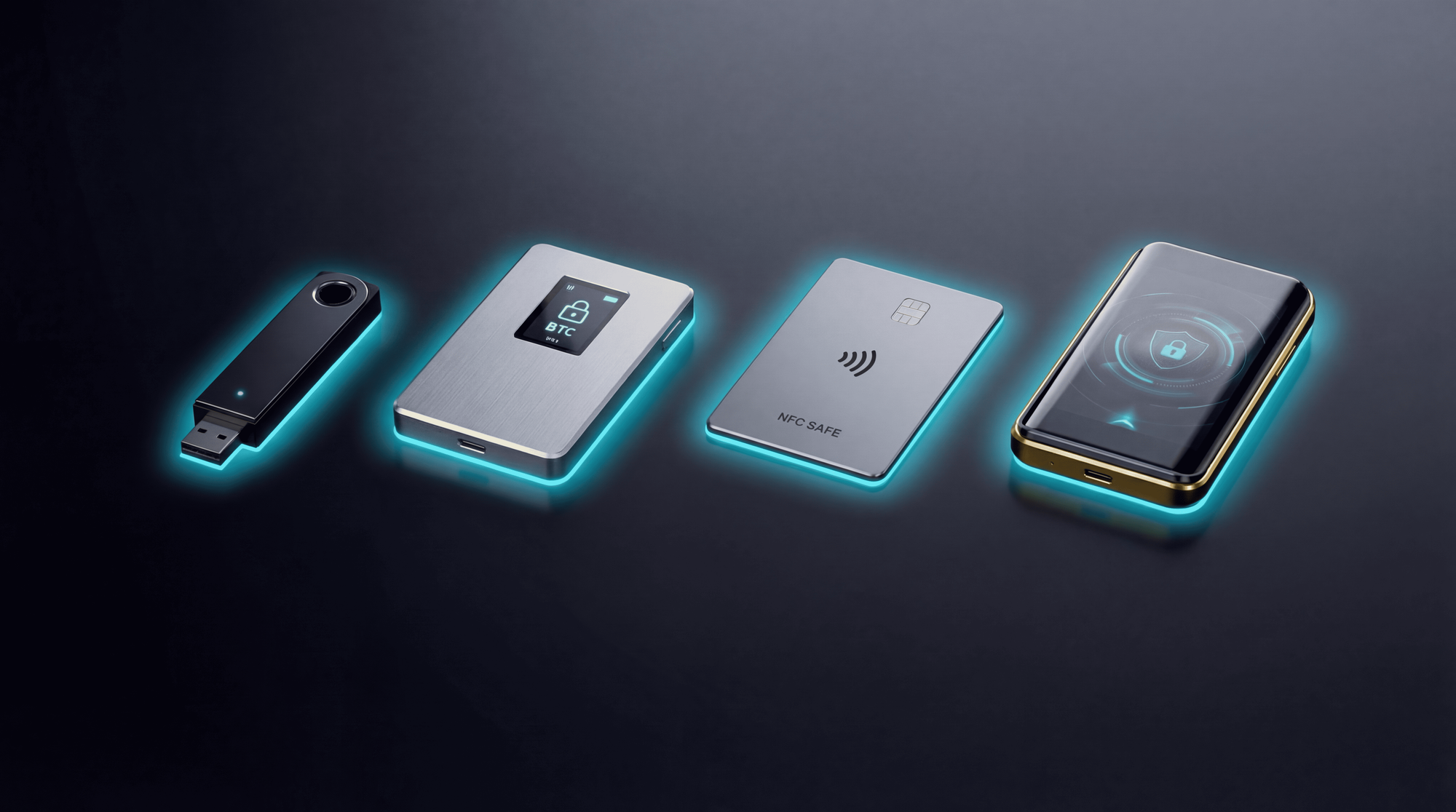
Examples: Ledger Nano S Plus, Trezor Safe 3, Ledger Flex, Tangem, COLDCARD, NGRAVE ZERO
Best for: Long-term storage of significant holdings, maximum security, protection from online threats
Risks: Physical loss or damage (mitigated by seed phrase backup), initial cost ($55-$399), slightly less convenient for frequent transactions
Understanding what a cryptocurrency wallet actually does is crucial - it doesn't store your crypto (which lives on the blockchain), but rather stores the private keys that prove ownership and authorize transactions.
Best Hardware Wallets for 2026: Complete Comparison
After extensive research and analysis of security certifications, user reviews, and industry reports, here are the top hardware wallets ranked by security, usability, and value:
Trezor vs Ledger: The Key Differences
Trezor is known for its open-source firmware - anyone can audit the code for security vulnerabilities. The Safe 3 and Safe 5 models include EAL6+ certified Secure Element chips, matching Ledger's security standards. Trezor also offers Shamir Backup (Safe 5 and Safe 3), allowing you to split your recovery phrase into multiple parts stored in different locations.
Ledger uses proprietary firmware (closed-source) but has never been remotely hacked in its 10-year history. Their devices use bank-grade Secure Element chips (EAL5+ to EAL6+), similar to those in credit cards and passports. Ledger supports more cryptocurrencies (15,000+ vs 8,000+) and offers better mobile integration via Bluetooth.
New Category: Seedless Wallets (Tangem)
Tangem represents a revolutionary approach - it eliminates the seed phrase entirely. Instead, your private key is generated and stored on an EAL6+ chip inside credit-card-sized NFC cards. You use multiple cards as backups of each other, and simply tap your phone to sign transactions.
Pros: No seed phrase to lose or have stolen, simple UX, affordable
Cons: If you lose all cards, funds are gone forever; requires NFC-capable smartphone
The North Korea Threat: Why Self-Custody Is Non-Negotiable
North Korean state-sponsored hackers (primarily the Lazarus Group) have become the single largest threat to cryptocurrency security worldwide. According to Chainalysis, they stole $2.02 billion in 2025 alone - up from $1.34 billion in 2024. Their cumulative total now exceeds $6.75 billion.
🇰🇵 Lazarus Group Tactics in 2025:
- Embedded IT Workers: North Korean operatives get hired at crypto companies to gain insider access
- Supply Chain Attacks: Compromising third-party vendors that crypto services rely on
- Sophisticated Phishing: AI-generated content, deepfakes, and multi-stage social engineering
- Exchange Targeting: Focus on centralized services with large asset concentrations
Stolen funds reportedly finance North Korea's nuclear weapons program.
The lesson is clear: when you keep funds on an exchange, you're trusting that exchange to defend against nation-state level attacks. When you use self-custody, the attackers would need to target you personally - and hardware wallets make that extremely difficult.
How to Set Up a Hardware Wallet: Step-by-Step
Setting up your first hardware wallet might seem intimidating, but it's actually straightforward. Here's the process (applies to most wallets):
Unbox and Verify Authenticity
Check that packaging seals are intact. Both Ledger and Trezor use tamper-evident seals. If there's already a seed phrase inside the box, it's a scam - return immediately.
Download Official Software
Install Ledger Live (ledger.com/ledger-live) or Trezor Suite (trezor.io/trezor-suite). Only download from official sources - never from third-party links or ads.
Initialize and Generate Recovery Phrase
Choose "Set up as new device." The device will generate a unique 24-word (or 12-word) recovery phrase. This is your master key - treat it as seriously as you would a million-dollar password.
Write Down Your Seed Phrase (OFFLINE!)
Write each word carefully on the provided recovery card. Double-check spelling and order. Never type it into any computer, phone, or online service. Never photograph it. Never email it.
Set a Strong PIN
Create a 4-8 digit PIN that you'll enter each time you use the device. Don't use birthdays, 1234, or simple patterns. This protects against physical theft - after several wrong attempts, the device wipes itself.
Transfer a Small Amount First
Before transferring your full holdings, send a small test amount ($10-50). Verify you can receive and send. Then transfer the rest from your exchange or hot wallet.
Seed Phrase Security: The Most Critical Step
Your seed phrase (also called recovery phrase or mnemonic) is a sequence of 12 or 24 words that can restore access to your wallet on any compatible device. It's the most important piece of information in your entire crypto journey.
⚠ CRITICAL SECURITY RULE
Anyone with your seed phrase can steal ALL your crypto instantly - from anywhere in the world, without needing physical access to your device. Never share it with anyone - not customer support, not friends, not family, not "helpful" strangers online. No legitimate service will EVER ask for it. Ledger, Trezor, Zipmex, and every other reputable company explicitly state they will NEVER request your seed phrase.
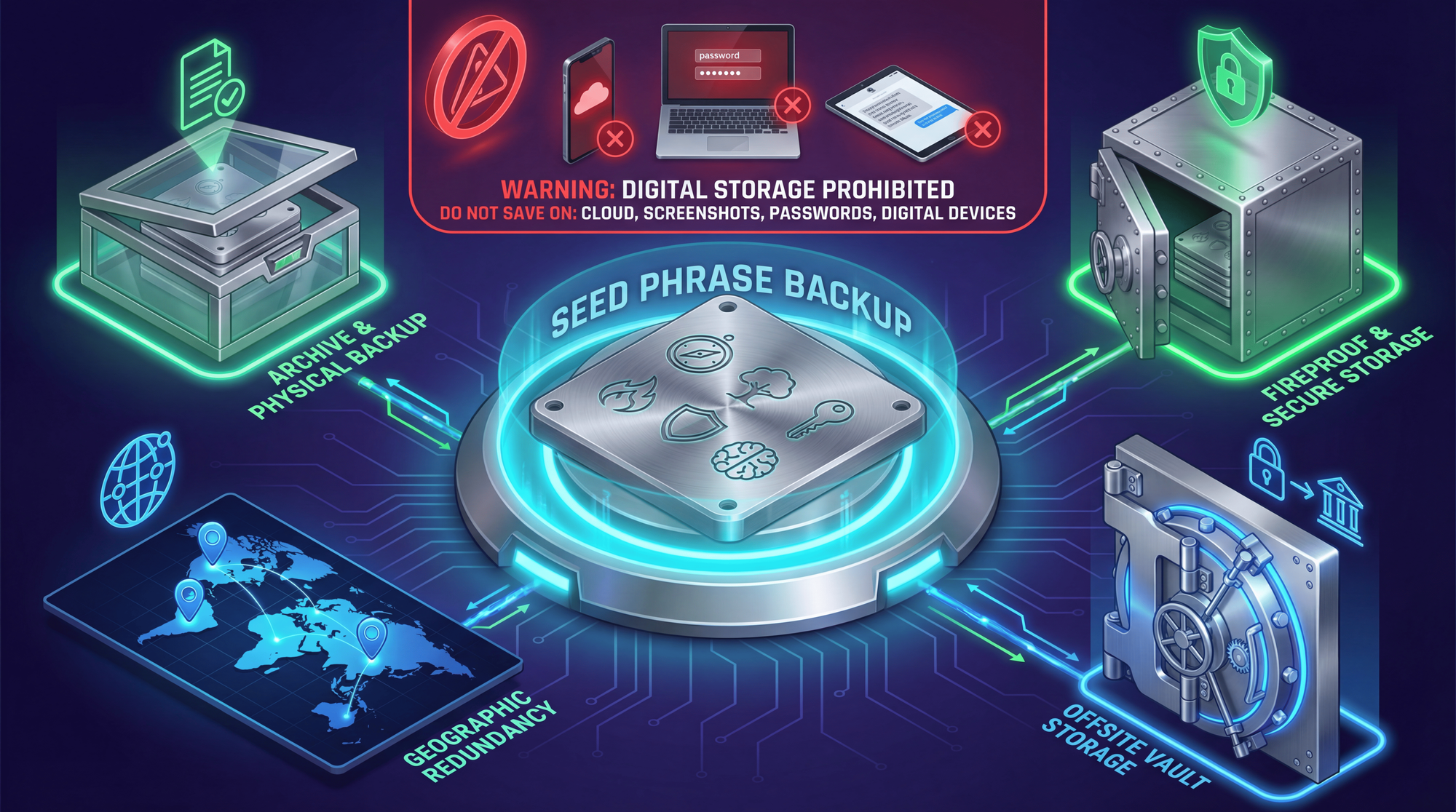
Where NOT to Store Your Seed Phrase
The biggest mistake newcomers make is storing their seed phrase digitally. In 2022, LastPass (a popular password manager) was hacked, and users who stored seed phrases there lost millions. Here's what to avoid:
- ❌ Screenshots or photos on your phone (automatically synced to iCloud/Google)
- ❌ Notes apps (Apple Notes, Google Keep, Evernote)
- ❌ Cloud storage (Google Drive, Dropbox, iCloud, OneDrive)
- ❌ Password managers (LastPass, 1Password, Bitwarden - they get hacked)
- ❌ Email drafts or sent emails
- ❌ Text files on your computer
- ❌ Any device connected to the internet
- ❌ Encrypted files on your desktop (malware can capture keystrokes)
Best Practices for Seed Phrase Storage
Paper Backup (Minimum)
Write your seed phrase on the recovery cards that come with your hardware wallet. Store in a fireproof safe or safety deposit box. The downside: paper can burn, get wet, or degrade over time.
Metal Backup (Recommended)
For long-term storage, engrave your seed phrase on stainless steel or titanium plates. These survive fires (up to 1,500°C), floods, and decades of storage:
Multiple Locations (Geographic Distribution)
Store backup copies in geographically separate locations. If your house burns down and your only backup is inside, your crypto is gone:
- 🏠 Home fireproof safe
- 🏦 Bank safety deposit box
- 👨👩👧 Trusted family member's safe (only if you trust them completely)
- 📍 Different city/country for maximum protection
NEW: AI Scams and Deepfake Threats in 2025-2026
One of the most alarming developments in crypto security is the rise of AI-powered social engineering attacks. According to PeckShield, scam-related losses increased by 64.2% in 2025, largely driven by more sophisticated attack methods.
🤖 New AI-Powered Threats to Watch:
- Deepfake Voice Calls: AI clones voices of customer support, friends, or even celebrities to trick you into revealing seed phrases or sending crypto
- Fake Podcast/Interview Invitations: Messages via Telegram/Discord inviting you to "exclusive interviews" - links install wallet-draining malware
- AI-Generated Phishing Sites: Perfect replicas of exchange websites, impossible to distinguish visually
- Synthetic Customer Support: Fake support agents with AI-generated photos and conversation skills
- Multi-Stage Social Engineering: Attacks that build trust over weeks before the actual theft attempt
How to Protect Yourself from AI Scams
- Never trust unsolicited contact - Real companies don't DM you on Telegram asking for help
- Verify through official channels - If "Ledger support" contacts you, go to ledger.com and use their official support
- Use a hardware wallet - Even if you fall for a scam website, your hardware wallet will show the actual transaction details
- Enable withdrawal address whitelisting on exchanges - Only pre-approved addresses can receive funds
- Be suspicious of urgency - Scammers create panic to make you act without thinking
- Voice verification - If someone calls claiming to be a friend/colleague, ask a question only they would know
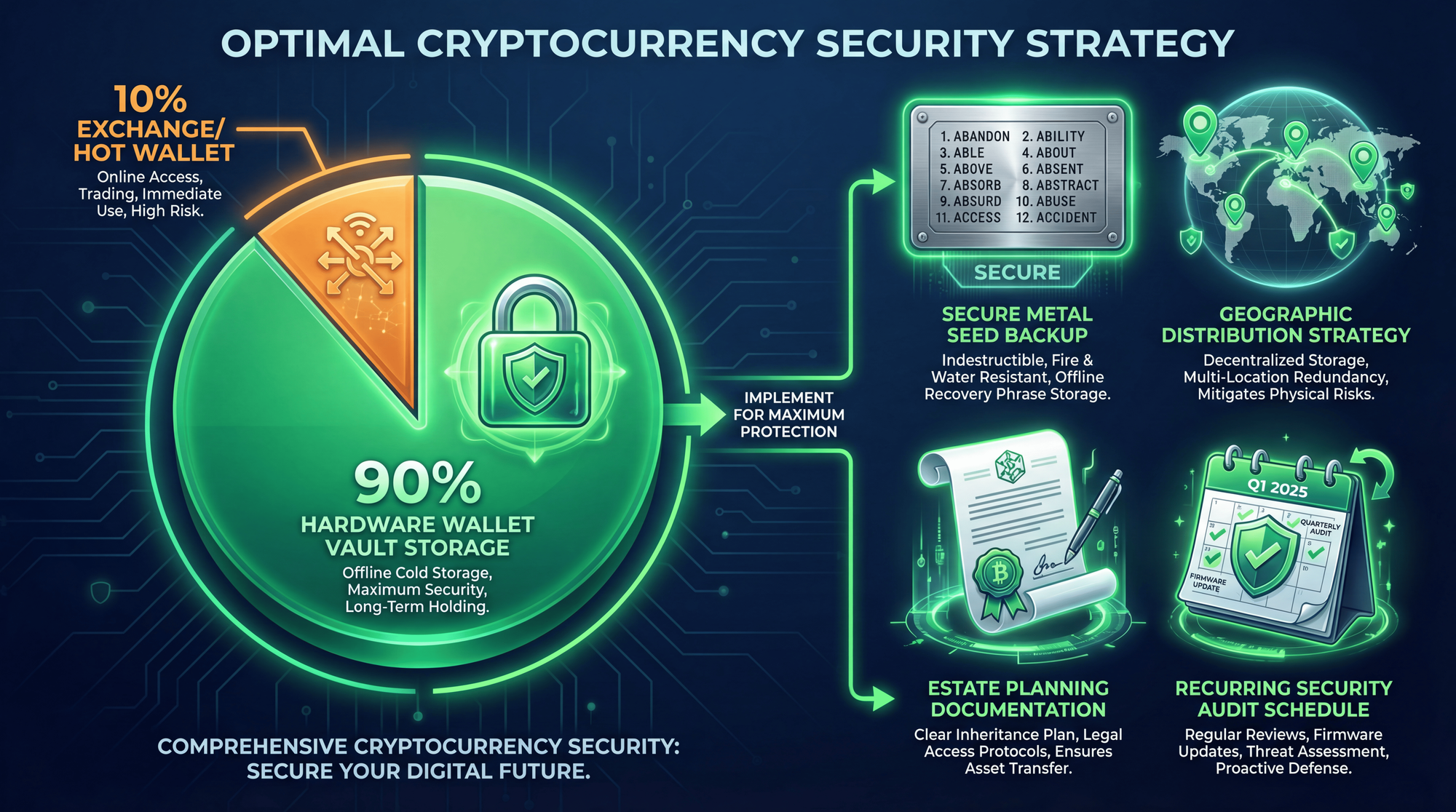
The 90/10 Storage Strategy
Based on SEC investor guidance and industry best practices, here's the optimal approach for most crypto holders:
🎯 Optimal Crypto Storage Strategy
- 90% in Cold Storage: Hardware wallet (Ledger/Trezor/Tangem) for long-term holdings. This is your "vault" - high security, lower convenience. Never touch it unless moving large amounts.
- 10% in Hot Wallet/Exchange: For active trading, DeFi interactions, and quick access. Only keep what you're willing to lose. Consider this "walking around money."
- Seed Phrase Backup: Metal backup in fireproof safe + second copy in separate geographic location.
- Regular Security Audits: Quarterly review of your storage setup, seed phrase accessibility, and firmware updates on hardware wallets.
- Estate Plan: Ensure a trusted person can access your crypto if something happens to you.
For those interested in growing their holdings while maintaining security, you can explore staking options that work with hardware wallets - many proof-of-stake cryptocurrencies allow you to earn rewards while keeping assets in cold storage.
NEW: Crypto Estate Planning - What Happens If You Die?
One of the most overlooked aspects of crypto security is what happens to your assets after you die. In 2019, the CEO of Canadian exchange QuadrigaCX died suddenly, taking with him the passwords to 26,350 BTC (worth over $2.6 billion at today's prices) - users lost everything.
📜 Crypto Estate Planning Essentials:
- Document your holdings: List all wallets, exchanges, and approximate values (update quarterly)
- Seed phrase inheritance: Create a secure method for a trusted person to access your seed phrase backup
- Instructions document: Write clear step-by-step instructions for someone unfamiliar with crypto
- Consider multisig: Wallets like COLDCARD or Cypherock allow multiple keys - one for you, one for your executor
- Lawyer involvement: Include crypto assets in your will with a reference to where instructions are stored
Important: Never include actual seed phrases in your will (it becomes public record during probate). Instead, reference where the secure backup is located.
Common Crypto Storage Mistakes to Avoid
Learning from others' failures can save you from devastating losses. Here are the most common mistakes:
1. Keeping Large Amounts on Exchanges
The risk: FTX collapsed overnight. Bybit lost $1.5 billion. Mt. Gox users waited 10+ years for partial recovery. If the exchange fails, you become a creditor in bankruptcy court.
The fix: Only keep what you need for active trading (max 10% of holdings) on exchanges.
2. Storing Seed Phrase Digitally
The risk: LastPass hack exposed millions of passwords. iCloud/Google accounts get compromised. Screenshots sync automatically to cloud storage.
The fix: Physical-only storage: paper in fireproof safe, metal backup for long-term.
3. Falling for "Recovery Services"
The risk: After losing access to a wallet, desperate users search for "crypto recovery services" - 99% are scams that steal any remaining access.
The fix: There is NO legitimate seed phrase recovery service. Anyone claiming otherwise is a scammer.
4. Using the Same Seed Phrase Everywhere
The risk: If one wallet is compromised, all wallets with the same seed phrase are compromised.
The fix: Use different seed phrases for different purposes (trading wallet vs. cold storage).
5. Ignoring Firmware Updates
The risk: Outdated firmware may have known security vulnerabilities.
The fix: Regularly check for firmware updates on your hardware wallet (but only download from official sources).
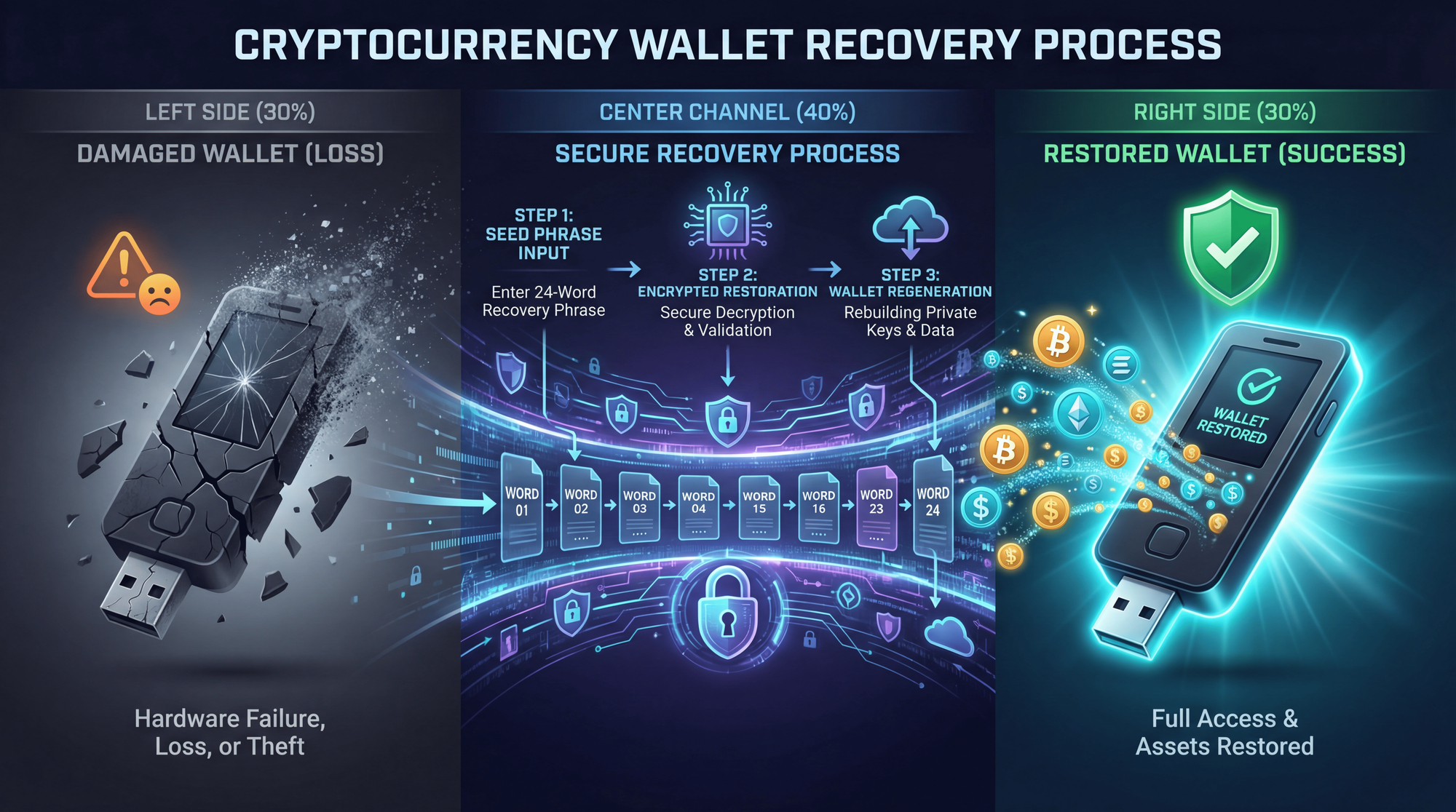
What If You Lose Your Hardware Wallet?
Here's the good news: your crypto isn't stored ON the hardware wallet. It's stored on the blockchain. The wallet simply holds your private keys - which can be regenerated from your seed phrase.
If your hardware wallet is lost, stolen, or damaged:
Don't panic - your crypto is safe as long as no one has your seed phrase
Order a new hardware wallet (same brand or different - seed phrases work across compatible devices)
Choose "Restore from recovery phrase" during setup
Enter your 24-word seed phrase carefully in the correct order
All your accounts and funds will reappear - the blockchain remembers everything
This is why the seed phrase is everything. Guard it with your life.
However, if you suspect your seed phrase may have been compromised (someone saw it, you entered it on a suspicious website), immediately transfer all funds to a NEW wallet with a NEW seed phrase before the attacker can act.
Frequently Asked Questions
What is the safest way to store cryptocurrency in 2026?
The safest method is using a hardware wallet (cold storage) like Ledger, Trezor, or Tangem, combined with a metal seed phrase backup stored in multiple secure locations. Keep 90% of holdings in cold storage and only 10% on exchanges for active trading. The hardware wallet keeps your private keys offline, immune to remote hacking.
How much does a hardware wallet cost?
Entry-level hardware wallets start at $55 (Tangem 2-card set) to $79 (Trezor Safe 3, Ledger Nano S Plus). Premium models with touchscreens range from $169-$399. The cost is minimal compared to potential losses from exchange hacks - the Bybit hack alone lost $1.5 billion.
What happens if I lose my seed phrase?
If you lose your seed phrase AND your hardware wallet is damaged/lost, your crypto is permanently inaccessible. There is no recovery mechanism - not from Ledger, Trezor, or anyone else. No legitimate company can help you recover it. This is why multiple physical backups in separate locations are essential.
Can hardware wallets be hacked?
No hardware wallet has ever been remotely hacked over the internet. The devices are designed to keep private keys isolated from internet-connected computers. Physical attacks require sophisticated equipment, physical access, and significant time. The main vulnerabilities are user error (phishing, sharing seed phrase) rather than device flaws.
Should I store my seed phrase in a password manager?
No. Password managers have been hacked (LastPass 2022), and any digital storage creates attack vectors. Your seed phrase should exist only in physical form - ideally on metal backup plates stored in secure locations. If the password manager is compromised, your entire crypto portfolio is at risk.
Ledger vs Trezor: which is better?
Both are excellent choices. Ledger supports more coins (15,000+), has better mobile integration via Bluetooth, and uses closed-source firmware with bank-grade Secure Element chips. Trezor is fully open-source (code can be audited), offers Shamir Backup (split seed phrase), and is generally preferred by privacy-focused users. For most users, the $79 entry-level models from either brand are sufficient.
What is a seedless wallet (Tangem)?
Tangem wallets eliminate the seed phrase entirely. Instead, your private key is generated and stored on EAL6+ secure chips inside credit-card-sized NFC cards. You tap your phone to sign transactions, and use multiple cards as backups of each other. Pros: No seed phrase to lose or have stolen. Cons: If you lose all cards, funds are gone forever.
How do I protect myself from AI scams and deepfakes?
- Never trust unsolicited contact (DMs, calls, emails) asking about your crypto
- Verify everything through official channels - go directly to official websites
- Use a hardware wallet - it shows actual transaction details before signing
- Enable withdrawal address whitelisting on exchanges
- Be suspicious of any urgency or "limited time" pressure
- Remember: No legitimate service will EVER ask for your seed phrase
What happens to my crypto if I die?
Without proper planning, your crypto could be lost forever (like QuadrigaCX's $2.6B). Create a crypto estate plan: document your holdings, store seed phrase backup securely, write instructions for your executor, and consider multisig wallets where multiple keys are required. Include crypto in your will without listing actual seed phrases.
Can I store NFTs on a hardware wallet?
Yes! Both Ledger (especially Flex and Stax models) and Trezor support NFT storage. The NFTs are stored on the blockchain - your hardware wallet just holds the keys to prove you own them. Ledger Live has built-in NFT viewing capabilities, making it easy to see your collection.
Ready to Secure Your Crypto?
Start your crypto journey with Zipmex - a secure platform for buying, selling, and managing digital assets.
Start Trading Now →⚠ Investment Disclaimer: The information provided in this article is for educational purposes only and does not constitute financial, investment, or legal advice. Cryptocurrency investments carry significant risk, including the potential loss of principal. Hardware wallet purchases and self-custody decisions should be based on individual research and risk tolerance. Security statistics cited are from third-party sources (Chainalysis, PeckShield, SlowMist, TechCrunch) and may vary. Always verify information with official sources. Zipmex does not endorse any specific third-party hardware wallet products. Past security performance does not guarantee future protection.