Bitcoin transactions taking 10-60 minutes and costing $1-50 in fees? That's the reality of on-chain Bitcoin payments during busy periods. But there's a solution that's transforming how we use Bitcoin. The Lightning Network enables instant transactions for fractions of a cent.
⚡ Quick Answer
The Lightning Network is a Layer 2 payment protocol built on top of Bitcoin that enables instant transactions (under 1 second) with fees typically less than $0.01. It works by creating payment channels between users, allowing unlimited off-chain transactions that only settle on the Bitcoin blockchain when channels are opened or closed. As of late 2025, the network holds over 5,600 BTC (~$490 million) in capacity.
What Is the Lightning Network?
The Lightning Network is a second-layer payment protocol designed to solve Bitcoin's biggest limitation: scalability. While the main Bitcoin blockchain can only process about 7 transactions per second (compared to Visa's 24,000), the Lightning Network can theoretically handle millions of transactions per second.
Originally proposed in a 2015 whitepaper by Joseph Poon and Thaddeus Dryja, the Lightning Network launched on Bitcoin's mainnet in 2018. The concept is elegantly simple: instead of recording every transaction on the blockchain, users create payment channels between themselves and transact off-chain, only settling the final balance on-chain when they're done.
Think of it like a bar tab. You open a tab (payment channel), order multiple drinks throughout the night (Lightning transactions), and settle the entire bill at the end (closing the channel). Only two transactions hit the main blockchain: opening and closing the tab.
How Does the Lightning Network Work?
Understanding how the Lightning Network operates requires grasping three core concepts: payment channels, multi-hop routing, and Hash Time-Locked Contracts (HTLCs).
Payment Channels Explained
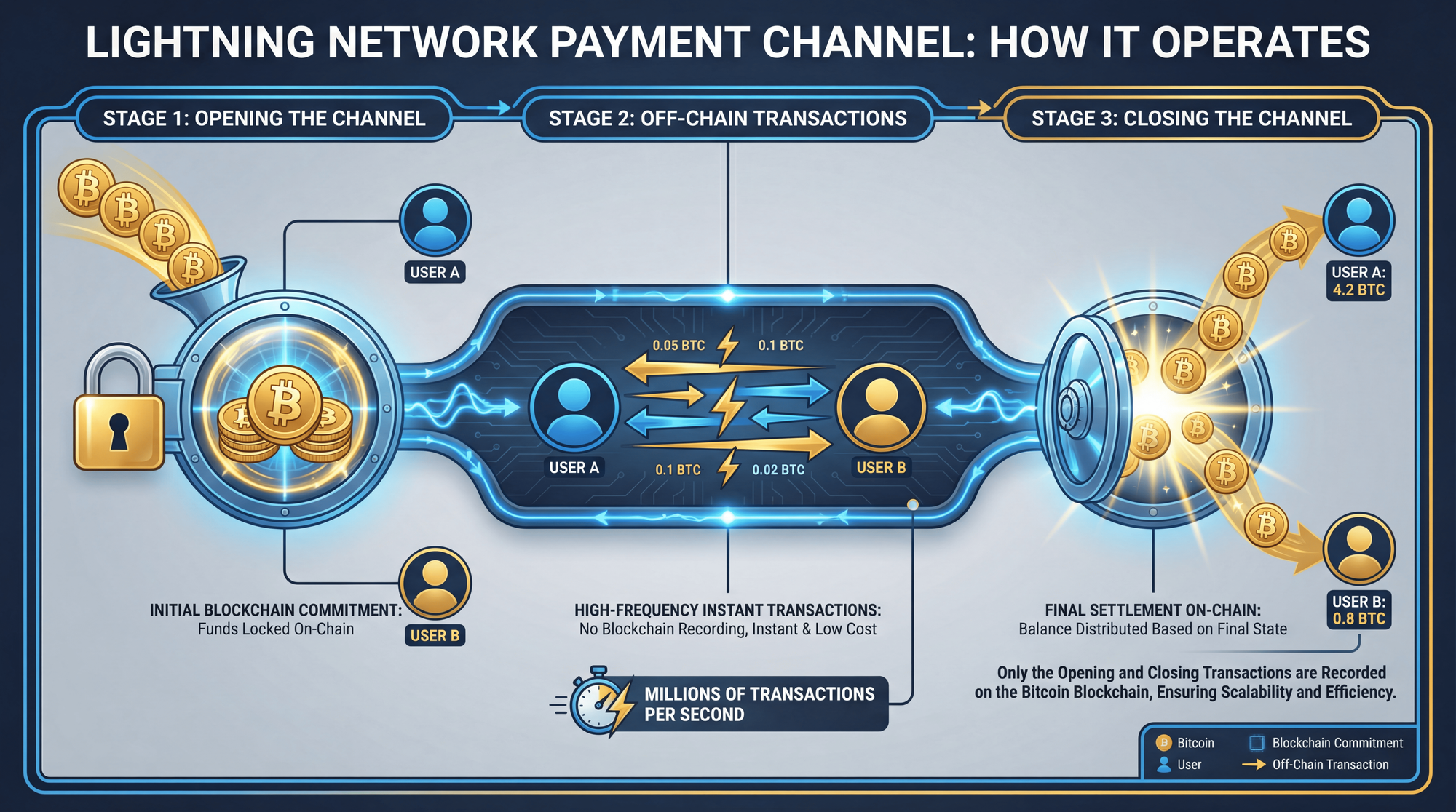
A payment channel is essentially a 2-of-2 multi-signature Bitcoin address that both parties fund and control. Here's the step-by-step process:
Open a Channel
Alice and Bob create an on-chain transaction that locks Bitcoin into a shared address. This requires one blockchain confirmation (about 10 minutes).
Transact Off-Chain
Alice and Bob can now send unlimited payments back and forth instantly. Each transaction updates a "balance sheet" showing who owns what-without touching the blockchain.
Close the Channel
When they're done transacting, either party can close the channel. The final balance is broadcast to the Bitcoin blockchain, and each party receives their share.
Multi-Hop Routing
The real power of Lightning comes from routing payments across the network. If Alice wants to pay Carol but doesn't have a direct channel with her, the payment can be routed through Bob (who has channels with both). The network uses an onion routing protocol-similar to how Tor works-where each node only knows the previous and next hop, preserving privacy.
Lightning Invoices
To receive a payment on Lightning, you generate an invoice-a string of characters (BOLT11 format) or QR code containing the payment details: amount, destination, expiration time, and a cryptographic hash. The sender's wallet automatically finds a route and executes the payment, typically settling in under a second.
Lightning Network vs Bitcoin On-Chain: Key Differences
Understanding when to use Lightning versus on-chain Bitcoin is crucial for any crypto user. Here's a comprehensive comparison:
Lightning Network Statistics in 2026
The Lightning Network has grown significantly since its 2018 launch. Here are the current network metrics:
📊 Lightning Network Stats (2026)
Network Capacity
5,637 BTC
USD Value
~$490M+
Active Nodes
~14,940
Payment Channels
~48,678
The network reached an all-time high in capacity in late 2025, with major exchanges like Binance and OKX significantly increasing their Lightning liquidity. Public Lightning volume surged 266% year-over-year, though transaction counts declined-indicating a shift toward higher-value enterprise payments.

Lightning Network Fees Explained
One of Lightning's biggest advantages is its incredibly low transaction costs. Here's how fees work on the network:
Fee Components
Lightning Network fees consist of two parts that routing nodes can charge:
Base Fee: A fixed amount charged per transaction, regardless of size. Typically 1-10 satoshis ($0.0001-$0.001).
Fee Rate (PPM): A proportional fee measured in parts per million (ppm). A 100 ppm rate means 0.01% of the payment amount-so sending $100 would cost just 1 cent.
Real-World Fee Comparison
The median fee rate for Lightning payments is approximately 0.0029%-that's about 1,000 times cheaper than credit card processing fees (typically 2-3.5%).
🎯 Fee Comparison Example
- $100 Lightning payment: ~$0.003 fee (0.003%)
- $100 credit card payment: ~$2.50 fee (2.5%)
- $100 Bitcoin on-chain: $1-10+ fee (variable)
- Your savings with Lightning: 99%+ in fees
On-Chain Fees Still Apply
While Lightning transactions themselves are nearly free, you'll still pay standard Bitcoin transaction fees when:
- Opening a new payment channel
- Closing a payment channel
- Moving funds between on-chain and Lightning
This is why it's most economical to open channels during periods of low on-chain congestion and use them for many transactions before closing.
Understanding Lightning Network Liquidity
Liquidity is a crucial concept that every Lightning user should understand. It determines how much you can send and receive through your channels.
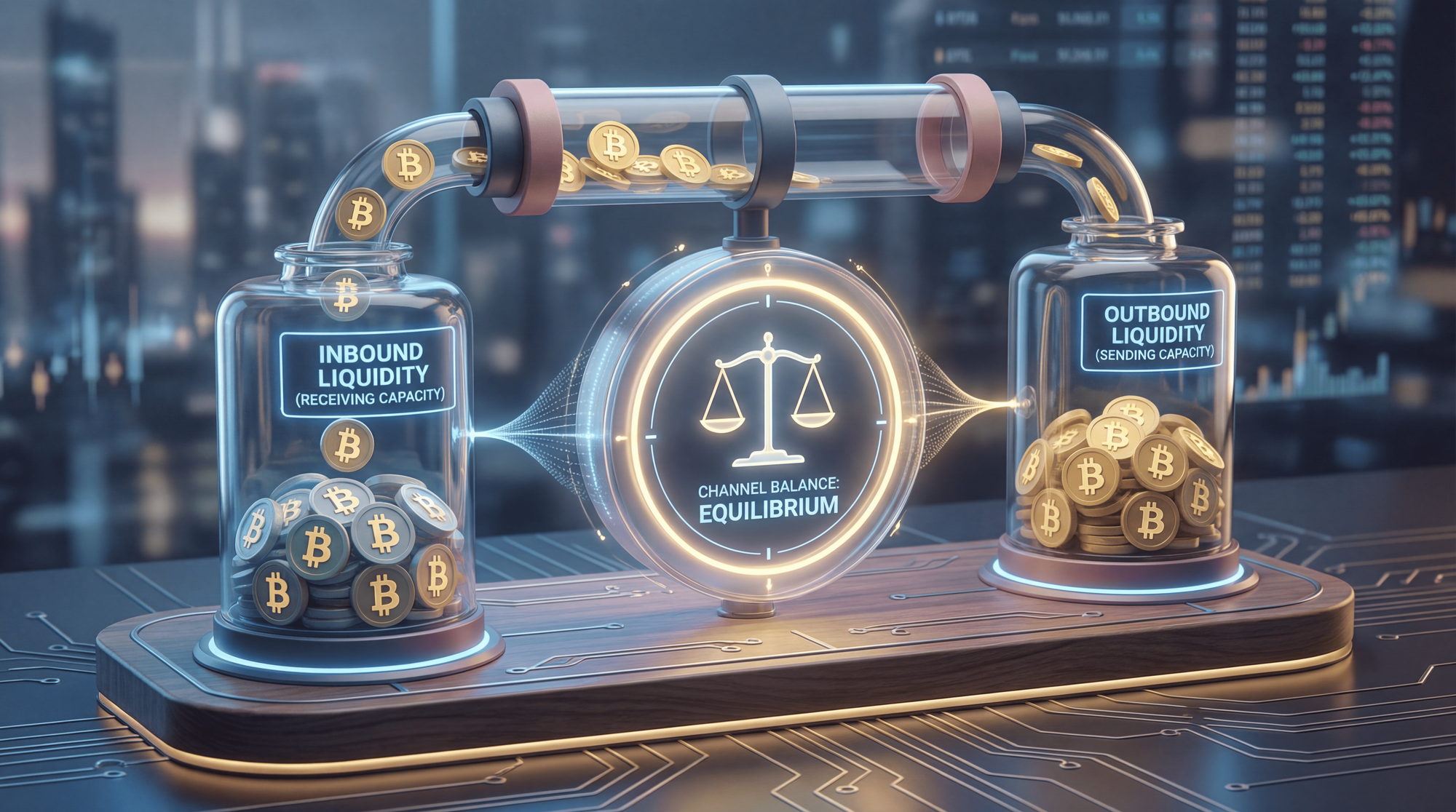
Inbound vs Outbound Liquidity
Outbound Liquidity: The Bitcoin on YOUR side of a channel. This is how much you can SEND.
Inbound Liquidity: The Bitcoin on the OTHER side of a channel. This is how much you can RECEIVE.
When you open a channel and fund it with 0.01 BTC, you have 0.01 BTC in outbound liquidity but 0 inbound liquidity. You can send payments, but you can't receive any until some funds flow to the other side through your spending.
⚠ Common Mistake
Many new Lightning users get frustrated when they can't receive payments. Remember: you need inbound liquidity to receive! Modern wallets like Phoenix and Breez handle this automatically, but if you're running your own node, you'll need to manage liquidity yourself or use a Lightning Service Provider (LSP).
Is the Lightning Network Safe?
Safety is the most common concern for newcomers to Lightning. The short answer: Lightning is generally safe for everyday use, but it operates differently from on-chain Bitcoin and has unique risk considerations.
📈 Safety Features
- Built on Bitcoin's Security: Lightning inherits Bitcoin's cryptographic security. Funds are ultimately secured by the Bitcoin blockchain.
- Smart Contract Protection: Channels use time-locked contracts that prevent fraud-if someone broadcasts an old state, they can lose all their funds.
- Watchtowers: Third-party services monitor channels 24/7 and can automatically dispute fraudulent closure attempts.
- 99%+ Success Rate: Well-connected nodes achieve near-perfect payment success rates.
📉 Risk Factors
- Hot Wallet Requirement: Unlike cold storage, Lightning nodes must keep signing keys online-this increases hacking risk.
- Channel Closure Risks: If you're offline when a counterparty tries to cheat, you could lose funds without watchtower protection.
- Technical Complexity: Running your own node requires technical knowledge; mistakes can result in lost funds.
- Zombie Channels: Channels with offline peers can lock up funds until manually closed.
Custodial vs Non-Custodial Wallets
Your security largely depends on your wallet choice:
Custodial Wallets (Wallet of Satoshi, Strike, Blink): The provider holds your keys and manages channels. Easy to use but requires trusting a third party. If they get hacked or go bankrupt, you could lose funds.
Non-Custodial Wallets (Phoenix, Breez, Zeus): You control your private keys. More secure against third-party risk, but you're responsible for backups and security.
Known Vulnerabilities
Researchers have identified several theoretical attack vectors on Lightning, including channel jamming, flood-and-loot attacks, and replacement cycling. However, as of 2026, none of these have been successfully exploited at scale in the wild. Lightning developers continuously patch vulnerabilities as they're discovered-keeping your wallet software updated is essential.
Best Lightning Network Wallets in 2026
Choosing the right wallet depends on your priorities: simplicity vs control, mobile vs desktop, custodial vs non-custodial. Here are the top options:
For Beginners (Custodial)
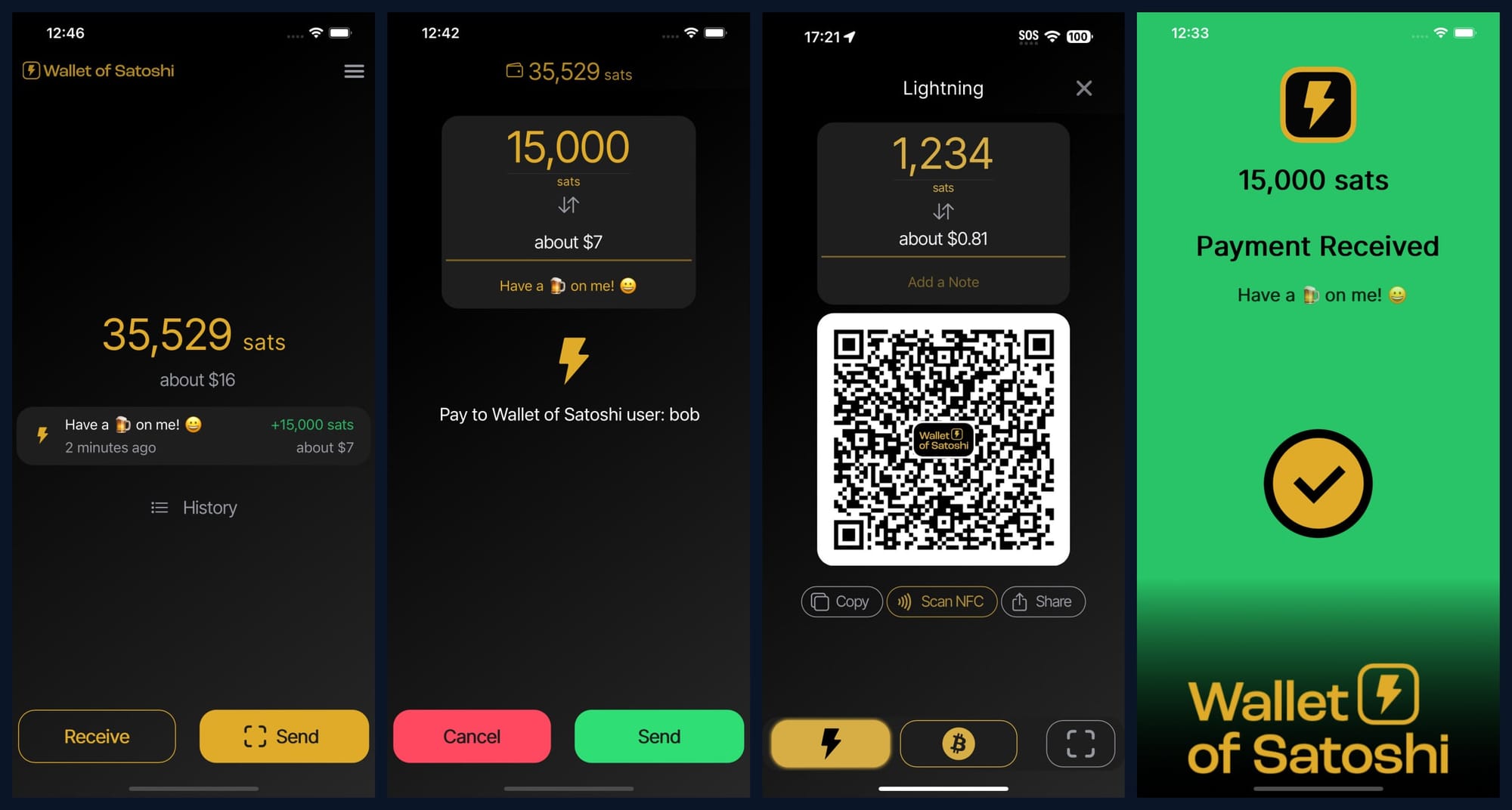
Wallet of Satoshi: The simplest Lightning wallet available. Download, generate an address, start receiving. No setup, no channel management-but you don't control your keys.
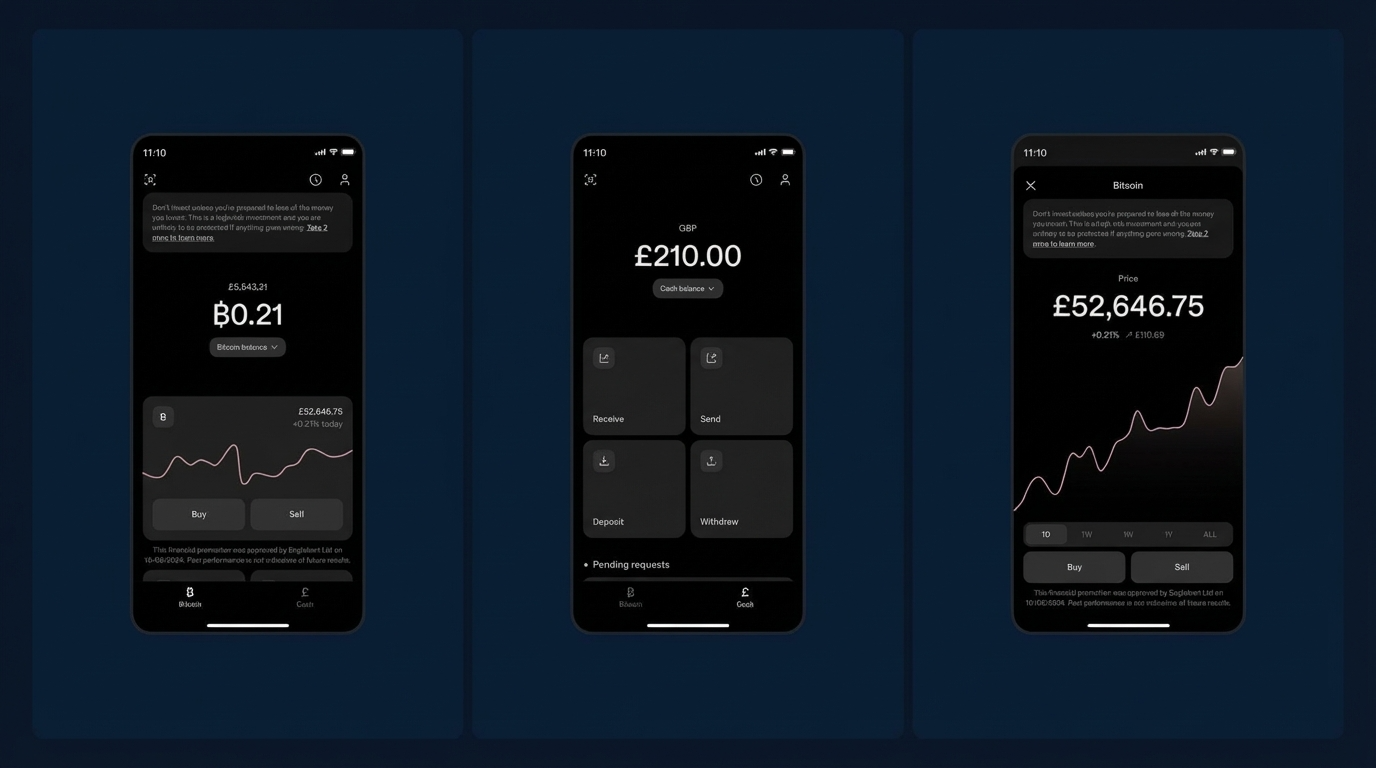
Strike: Combines Lightning with fiat banking features. Great for users who want to buy Bitcoin with traditional currency and spend via Lightning.
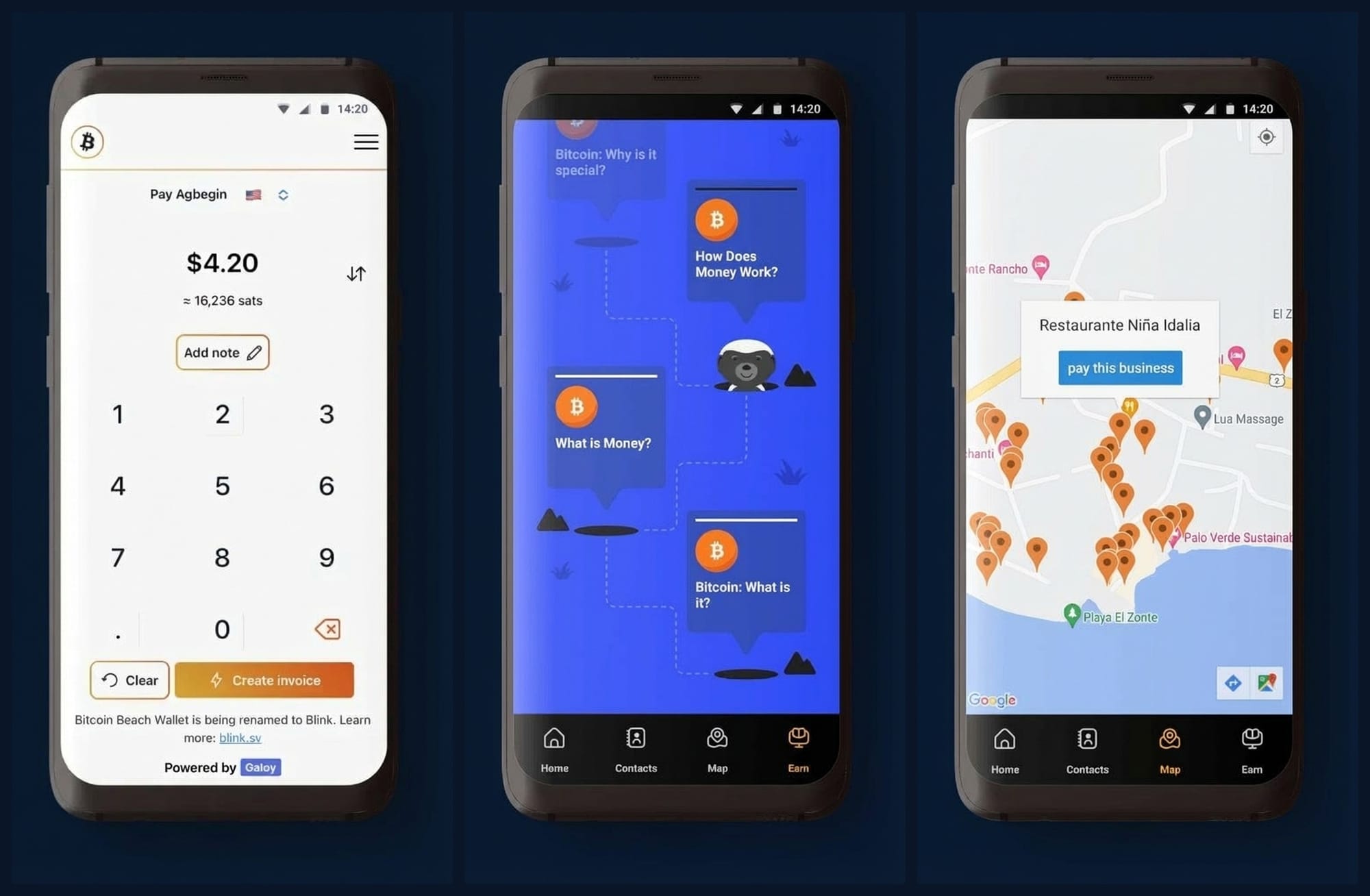
Blink: Community-focused wallet with built-in Stablesats (USD-pegged balance option). Popular in developing markets.
For Intermediate Users (Non-Custodial, Managed)
Phoenix Wallet: The most popular self-custodial Lightning wallet. Automatically manages channels using "splice" technology. You control your keys, but ACINQ handles the complexity. Charges 1% fee for channel opens.
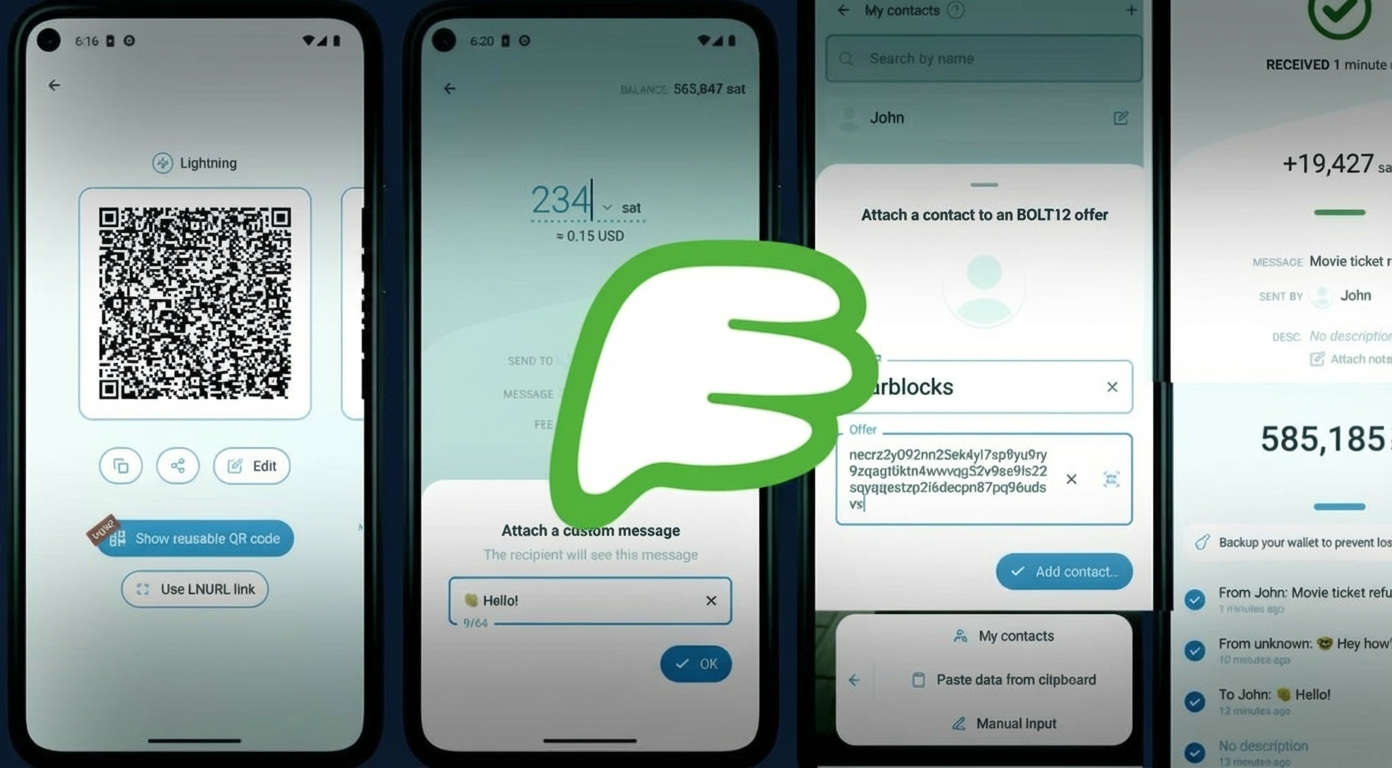
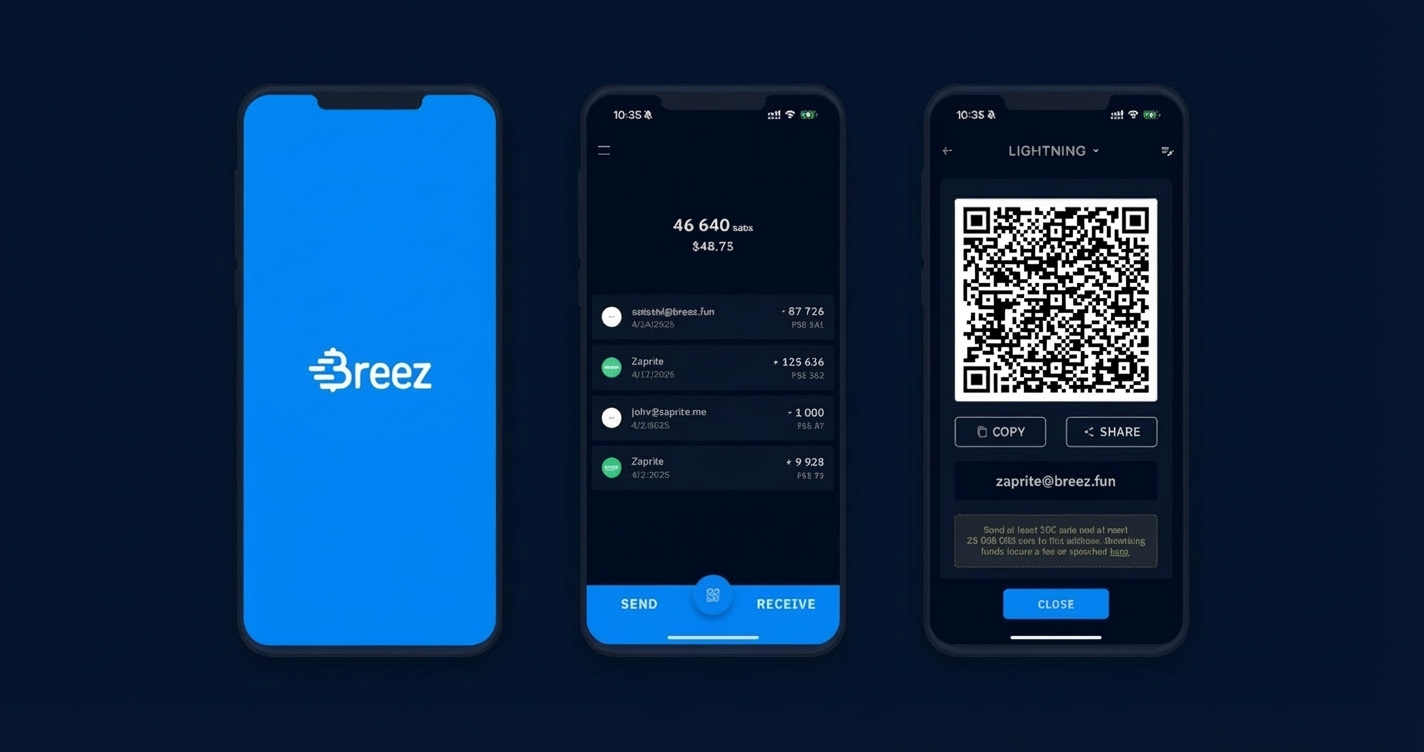
Breez: Non-custodial with automatic channel management. Includes built-in apps like podcast streaming and a point-of-sale mode for merchants.
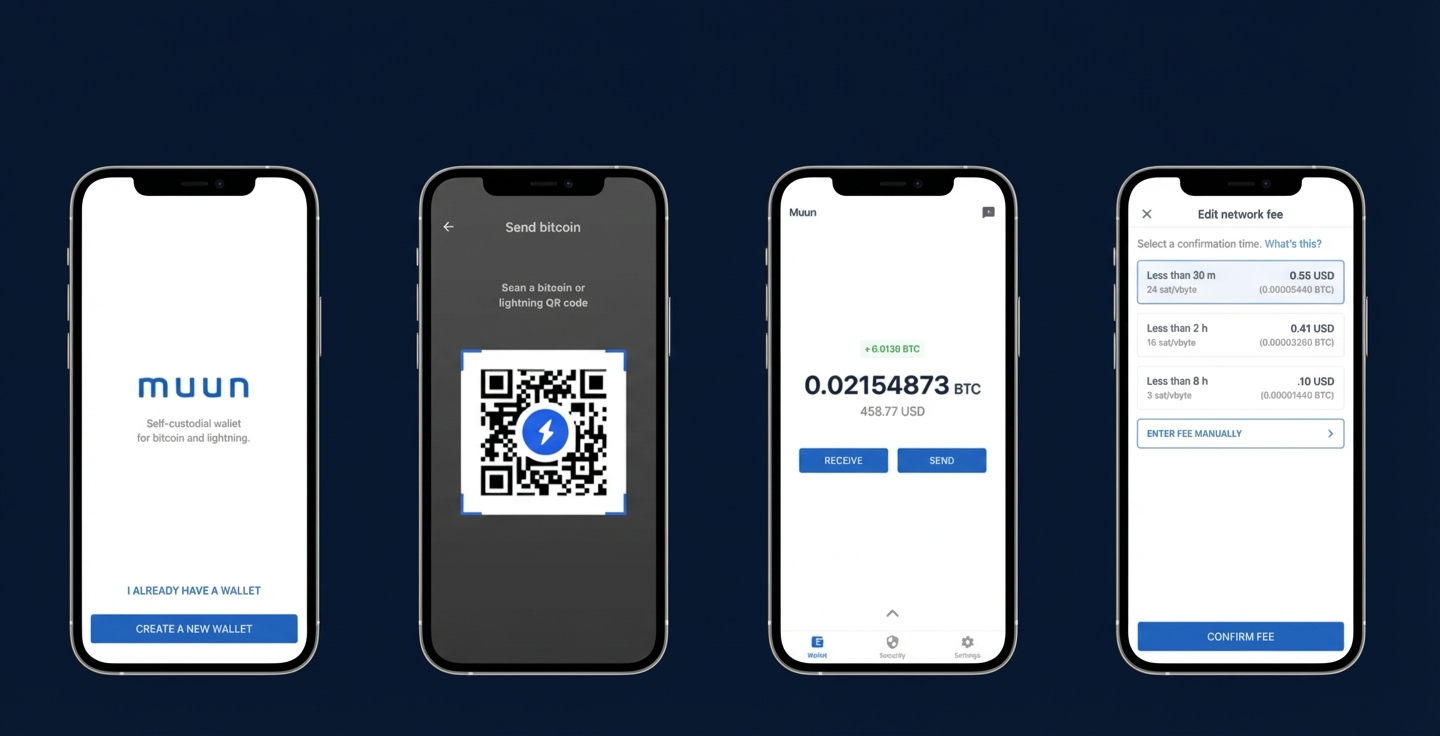
Muun: Combines on-chain and Lightning into a single balance. Great user experience but uses submarine swaps which can have higher fees for Lightning payments.
For Advanced Users (Full Control)
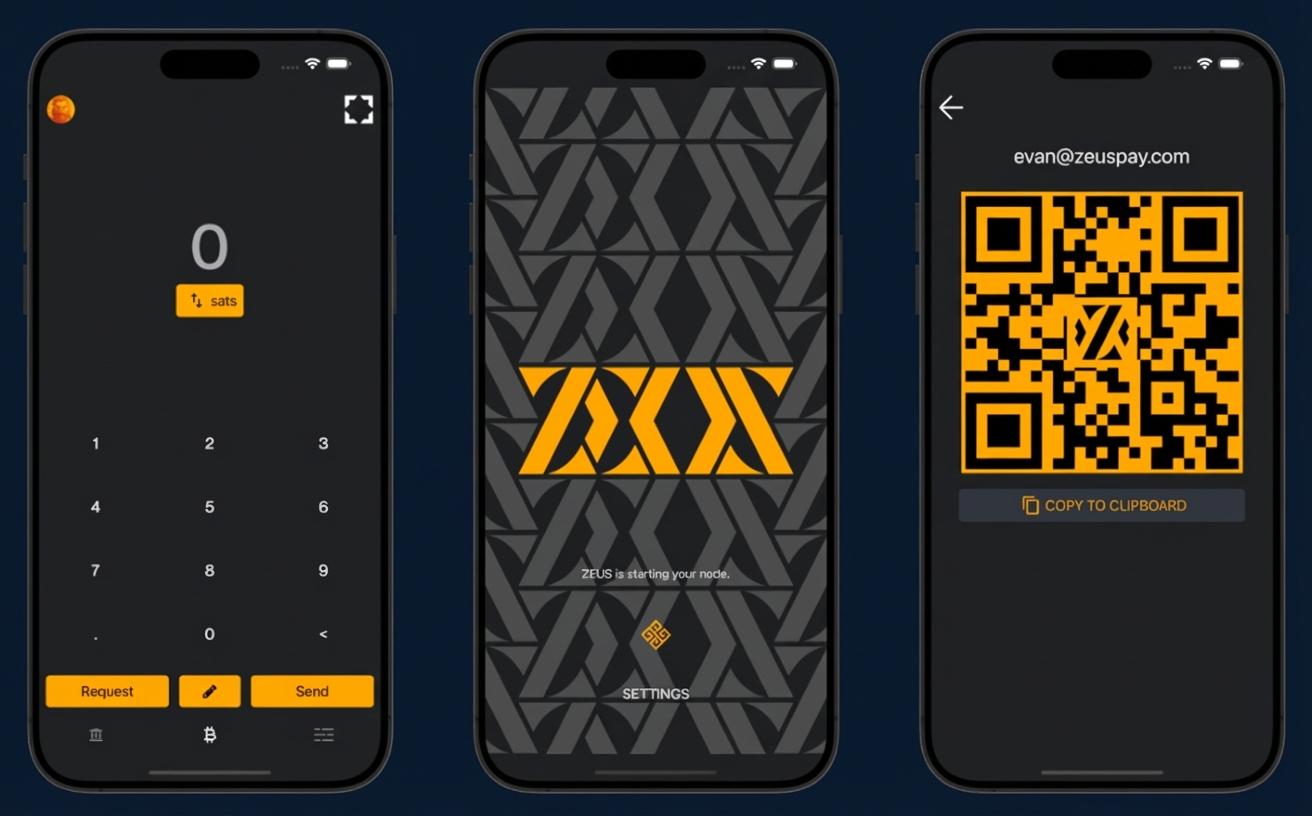
Zeus: Connect to your own Lightning node or use their embedded node. Full control over channels and routing.
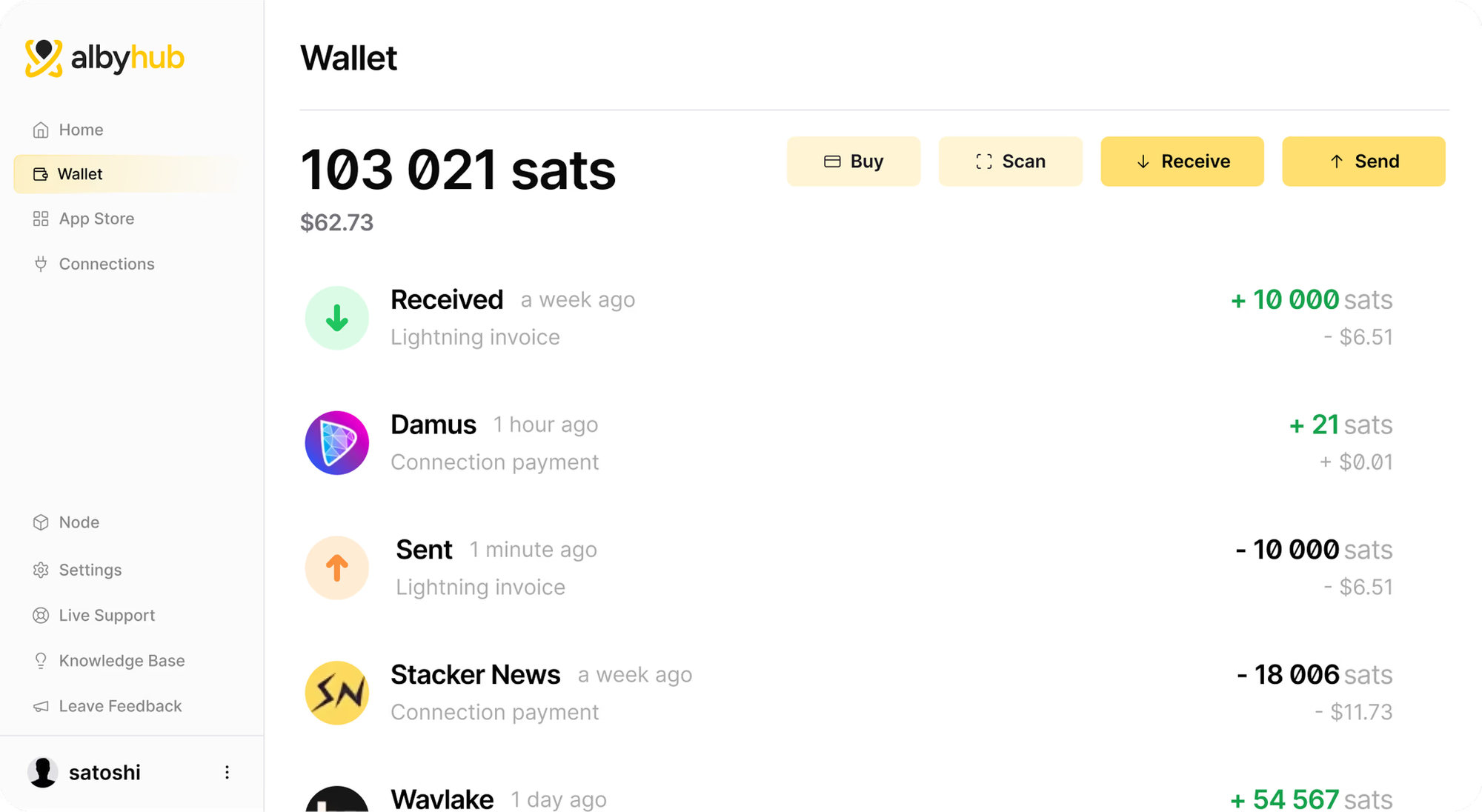
Alby Hub: Browser-based with Nostr integration. Excellent for web-native payments and content creators.
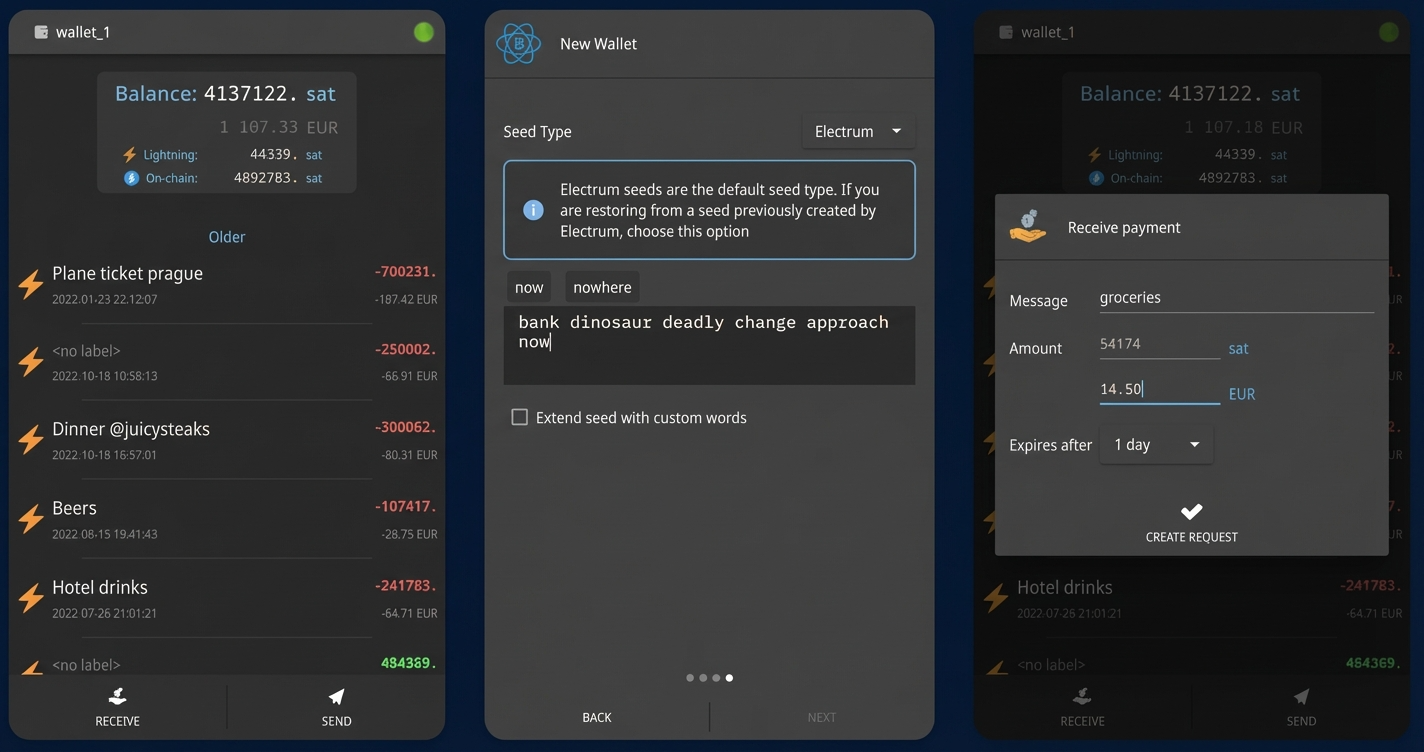
Electrum: The classic Bitcoin wallet now supports Lightning. Ideal for desktop users who want both on-chain and Lightning in one interface.
IMG5
How to Send and Receive Bitcoin on Lightning
Using Lightning is simpler than it might sound. Here's a practical guide:
Receiving Bitcoin on Lightning
- Open your Lightning wallet and select "Receive"
- Generate an invoice specifying the amount (or leave open for variable amounts)
- Share the invoice as a QR code or BOLT11 string
- Wait for confirmation-typically under 1 second
Modern wallets also support Lightning Addresses (like email format: username@wallet.com), making receiving even simpler-no need to generate new invoices each time.
Sending Bitcoin on Lightning
- Get the recipient's invoice (scan QR code or paste BOLT11 string)
- Verify the amount and destination
- Confirm the payment-your wallet finds a route automatically
- Done! You'll see instant confirmation
🎯 Key Takeaways: Using Lightning
- Lightning invoices typically expire after a set time (often 1 hour)-generate fresh ones for each payment
- You need inbound liquidity to receive payments-start by spending first, or use a managed wallet
- Lightning Addresses work like email for payments-much easier than sharing invoices
- Always verify the payment amount before confirming-Lightning payments are irreversible
Lightning Network Use Cases in 2026
The Lightning Network has evolved beyond simple peer-to-peer payments. Here are the most popular applications:
Merchant Payments
Square (Block) is rolling out Lightning payments to its 4 million merchants through 2026. Customers scan a QR code at checkout, pay in Bitcoin, and merchants can choose to hold BTC or convert to fiat instantly. Services like BitPay and OpenNode already enable thousands of businesses to accept Lightning.
Micropayments & Tipping
Lightning finally makes sub-dollar payments economical. Platforms like Nostr (decentralized social media) enable instant "zaps"-small Bitcoin tips for content. Over 3.6 million zaps were sent in just six months on Nostr alone.
Remittances
Cross-border payments that traditionally cost 6-10% in fees can be settled via Lightning for fractions of a cent. Strike has built its business model around this, allowing users in different countries to send money almost free.
Gift Cards & Shopping
Bitrefill lets you buy gift cards from major retailers (Amazon, Starbucks, Uber) using Lightning. It's one of the easiest ways to spend Bitcoin in the real world.
Streaming Payments
The Lightning Network enables "streaming sats"-continuous micropayments for services like podcasts, music, or video. Pay per second of content consumed rather than monthly subscriptions.
Does the Lightning Network Have a Token?
No, the Lightning Network does not have its own token. This is a common misconception.
Lightning is a protocol layer built on top of Bitcoin-all transactions use actual Bitcoin (BTC). When you send 1000 satoshis on Lightning, you're sending real Bitcoin, not a separate cryptocurrency.
Some scammers have created fake "Lightning Network tokens" to defraud investors. Remember: Lightning is infrastructure, not a currency. Any token claiming to be "the Lightning Network coin" is a scam.
⚠ Scam Alert
Be wary of any investment opportunity promising a "Lightning Network token" or "LN coin." The Lightning Network uses Bitcoin (BTC) exclusively. There is no separate token to buy, sell, or invest in. Anyone telling you otherwise is likely attempting fraud.
That said, companies building Lightning infrastructure do have equity or their own tokens. For example, Lightning Labs is a private company, and Stacks (STX) is a separate protocol that can interact with Bitcoin. But these are distinct from the Lightning Network itself.
Frequently Asked Questions
What is the Lightning Network in simple terms?
The Lightning Network is a faster, cheaper way to send Bitcoin. Instead of waiting 10+ minutes for blockchain confirmation, Lightning enables instant payments by conducting transactions off-chain through payment channels. Think of it as Bitcoin's express lane-same Bitcoin, but much faster and cheaper to use.
How much does a Lightning Network transaction cost?
Lightning transactions typically cost less than $0.01-often just fractions of a cent. The exact fee depends on the payment route, but even large payments usually cost under a penny. This is about 1,000x cheaper than credit card fees and significantly less than Bitcoin on-chain transactions.
Can you lose funds on Lightning Network?
While generally safe, there are scenarios where funds could be lost: if you're using a custodial wallet and the provider fails, if you lose your seed phrase backup, or if a counterparty attempts fraud while you're offline without watchtower protection. For most users following best practices with reputable wallets, the risk is minimal.
What's the difference between Bitcoin and Lightning Network?
Bitcoin is the base layer blockchain-secure but slow (7 TPS, 10-minute blocks). Lightning is a Layer 2 protocol built on top of Bitcoin that enables instant, cheap transactions by conducting them off-chain. Both use the same Bitcoin (BTC); Lightning just moves it faster for everyday payments.
Is Lightning Network custodial or non-custodial?
It can be either! Lightning itself is a protocol-your custody depends on which wallet you use. Custodial wallets (Wallet of Satoshi, Strike) hold your keys for you. Non-custodial wallets (Phoenix, Breez, Zeus) let you control your own keys. Non-custodial is more secure but requires more responsibility.
How do I get started with Lightning Network?
The easiest way: download a mobile wallet like Wallet of Satoshi (custodial, simplest) or Phoenix (non-custodial, recommended). Fund it by receiving Bitcoin via Lightning from an exchange that supports withdrawals (Kraken, OKX, Binance) or by sending on-chain BTC that the wallet converts. Then start sending and receiving instant payments!
Is Lightning Network good for micropayments?
Yes! Lightning is specifically designed for micropayments that would be impractical on-chain. You can send a single satoshi (0.00000001 BTC) for nearly zero fees. This enables use cases like streaming payments, content tipping, and pay-per-use services that simply weren't possible before.
Ready to Try Instant Bitcoin Payments?
Experience the future of crypto payments with Lightning Network support on Zipmex.
Get Started on Zipmex →⚠ Disclaimer: The information provided in this article is not intended to provide investment or financial advice. Investment decisions should be based on the individual's financial needs, objectives, and risk profile. We encourage readers to understand the assets and risks before making any investment entirely. Cryptocurrency investments are subject to high market risk. Past performance does not guarantee future results.