To send bitcoin, open your wallet and tap Send. Paste the recipient's address rather than typing it, then enter the amount and choose a network fee. Check the address, amount and fee on the confirmation screen before you approve. Check carefully, because a confirmed bitcoin transaction cannot be reversed. If a send gets stuck because its fee was too low, you have three options. You can wait for nodes to drop it, replace it with a higher-fee version (replace-by-fee, or RBF), or speed it up with a child transaction (child pays for parent, or CPFP).

The send steps
Wallet apps lay out the screens differently, but the order is the same. The Bitcoin.com Support Center guide for its wallet app (dated January 7, 2026) is a typical example:
- From the home screen, tap Bitcoin. If you have more than one bitcoin wallet, choose the one to send from.
- Tap the send button.
- Enter the recipient's address.
- On the "Enter Amount" screen, enter the amount. The fee can be adjusted on the same screen.
- On the final screen, check the details, then slide to complete the transaction.
The same page says the company "does not have access to your private keys," so it cannot control your funds or reverse your transactions. The same applies to any self-custody wallet: nobody can undo a send for you.
Copy the address, then check it
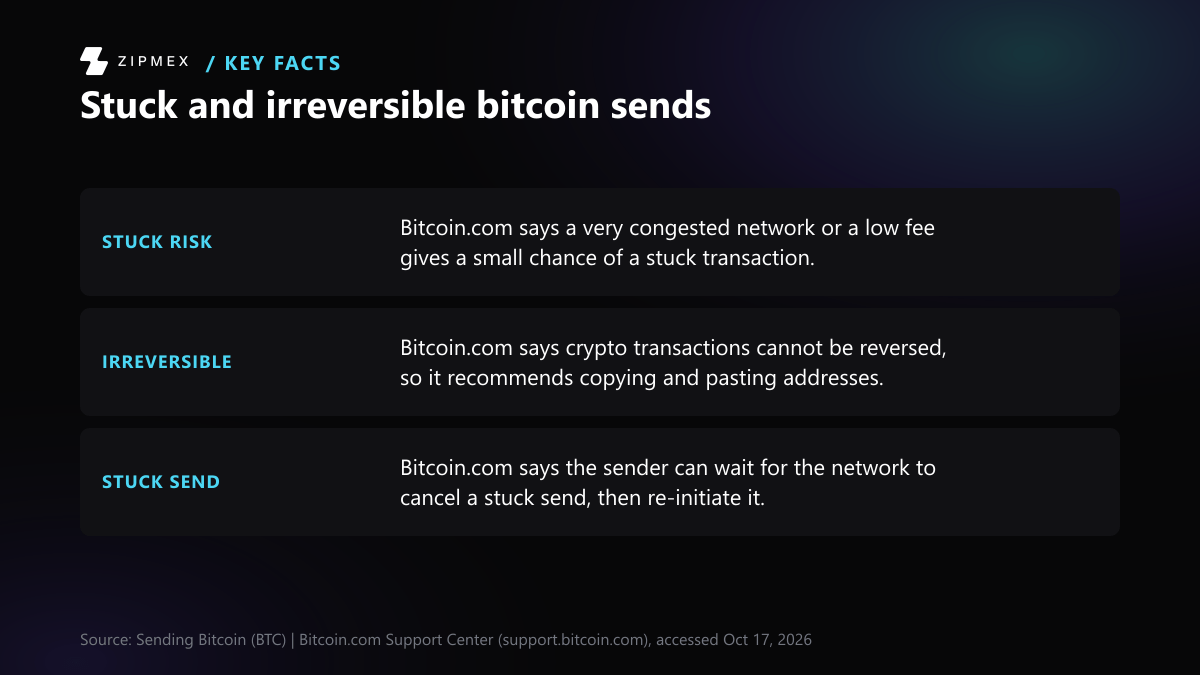
Bitcoin.com recommends that you "copy and paste recipient addresses rather than typing it," then double-check both the address and the currency, because "cryptocurrency transactions cannot be reversed."
Knowing what a valid mainnet address looks like helps:
- bc1q… addresses are native SegWit, version 0 (BIP 173, bech32 encoding).
- bc1p… addresses are Taproot, version 1 (BIP 350, bech32m encoding).
- On mainnet these addresses start with "bc", which BIP 173 defines as the human-readable part.
The bech32 checksum guarantees detection of "any error affecting at most 4 characters." This means a single mistyped character in a bc1 address is normally rejected by the wallet. The checksum cannot help if you paste the wrong address that is itself valid. So compare the pasted address with the one the recipient gave you, character by character or at least at the start, middle and end, before you continue.
Check the confirmation screen
Before you approve, check three things:
- Address: it matches what the recipient sent you.
- Amount and unit: many wallets let you enter the amount in BTC or in a local currency, so make sure the unit is the one you meant.
- Fee: the fee competes with other unconfirmed transactions. A fee set too low is the usual reason a send waits for a long time.
If your wallet has a spending password, you will usually be asked for it on this screen.
Which fix fits your stuck bitcoin send?
Answer a few questions about your stuck transaction to see which of the article's options you can use.
Did you send the stuck transaction, or are you the one receiving it?
- I sent it → next question
- I am receiving it → Pay for it with a child transaction (CPFP)
Does your wallet show a "bump fee" or "speed up" button for this transaction?
Does the stuck transaction have a change output going back to your own wallet?
- Yes → Pay for it with a child transaction (CPFP)
- No or not sure → next question
Does your wallet offer its own transaction accelerator service?
Use the bump-fee button to broadcast a new version of the unconfirmed transaction that pays more. Under BIP 125 the replacement must pay at least the original's total fees plus enough for its own size at the node's minimum relay fee rate. Full RBF has been the default since Bitcoin Core 28.0.
Spend the output you control from the stuck transaction in a new transaction with a high fee rate. Miners that use ancestor feerate mining have a reason to include both. This works for the recipient, and for the sender when there is a change output.
Paste the transaction ID into the wallet's accelerator service. One wallet's guide says there are free and paid options, but it gives no prices or timings.
Bitcoin Core nodes remove a transaction from their mempool after 336 hours (14 days) by default. This is a per-node setting, so anyone with the old transaction can still rebroadcast it until the coins are spent again. When the funds return to your wallet, resend with a properly priced fee.
This only points to the options described in the article: it does not set a fee, estimate waiting times, or check whether your particular wallet supports RBF, CPFP or an accelerator.
From the app's home screen, tap Bitcoin. If you have more than one Bitcoin wallet, select the one you want to send from.
Why a send gets stuck
A broadcast transaction waits in the mempools of network nodes until a miner includes it in a block. Miners generally favour transactions with higher fee rates, so a low-fee transaction can wait a long time when the network is busy. Bitcoin.com's guide says a stuck transaction does not mean your bitcoin is lost.
Three ways to deal with a stuck send
1. Wait for it to drop out
Nodes running Bitcoin Core remove a transaction from their mempool after 336 hours (14 days) by default. That default is the -mempoolexpiry setting in Bitcoin Core's source. It is a per-node setting, not a network rule. Bitcoin.com's guide says the network may cancel a stuck transaction, the funds return to your wallet, and you can then send again. Until the same coins are spent in a new transaction, anyone who has the old one can still rebroadcast it. So when you resend, do it with a properly priced fee.
2. Replace it with a higher fee (RBF)
Replace-by-fee lets you broadcast a new version of an unconfirmed transaction that pays more. Under BIP 125, the replacement must pay an absolute fee at least equal to the original's total fees, plus enough for its own size at the node's minimum relay fee rate. BIP 125 originally required the transaction to signal that it could be replaced. Bitcoin Core 28.0 (October 2024) made full RBF the default. Bitcoin Core 29.0 then removed the -mempoolfullrbf option, "making full replace-by-fee the standard behavior." In practice, check whether your wallet offers a "bump fee" or "speed up" button. RBF is something the sender does.
3. Pay for it with a child transaction (CPFP)
With child pays for parent, you spend an output of the stuck transaction in a new transaction with a high fee rate. Miners that use ancestor feerate mining have a reason to include both. CPFP needs control of one of the stuck transaction's outputs. That makes it a route for the recipient, and for the sender when the transaction has a change output going back to them. Bitcoin Core supports CPFP fee bumping of incoming payments.
Wallet accelerators
Some wallets offer their own accelerator. In the Bitcoin.com app, the path is Discovery > Overview > Services > BTC TX accelerator > Launch Service. You paste the transaction ID, and the guide says "there are free and paid options." The page gives no prices or timings.
Protect the wallet you send from
Your private keys and recovery phrase control the coins. Keep the recovery phrase offline, never type it into a website or share it with someone offering help, and install wallet apps only from their official sources.
The app steps above come from one wallet's support page and may differ in yours. Fee levels and waiting times are not covered here because they change with network conditions.