To check a crypto transfer, first find out which blockchain carried it. Then open an explorer for that chain and paste the transaction ID (TxID, also called the transaction hash) into its search box. Read the status and the number of confirmations, then compare the receiving address character by character with the one you meant to pay. If you search the wrong chain's explorer, you get no result even when the transfer exists. A "success" status tells you the transfer is on-chain, but it does not tell you that the right recipient got it.
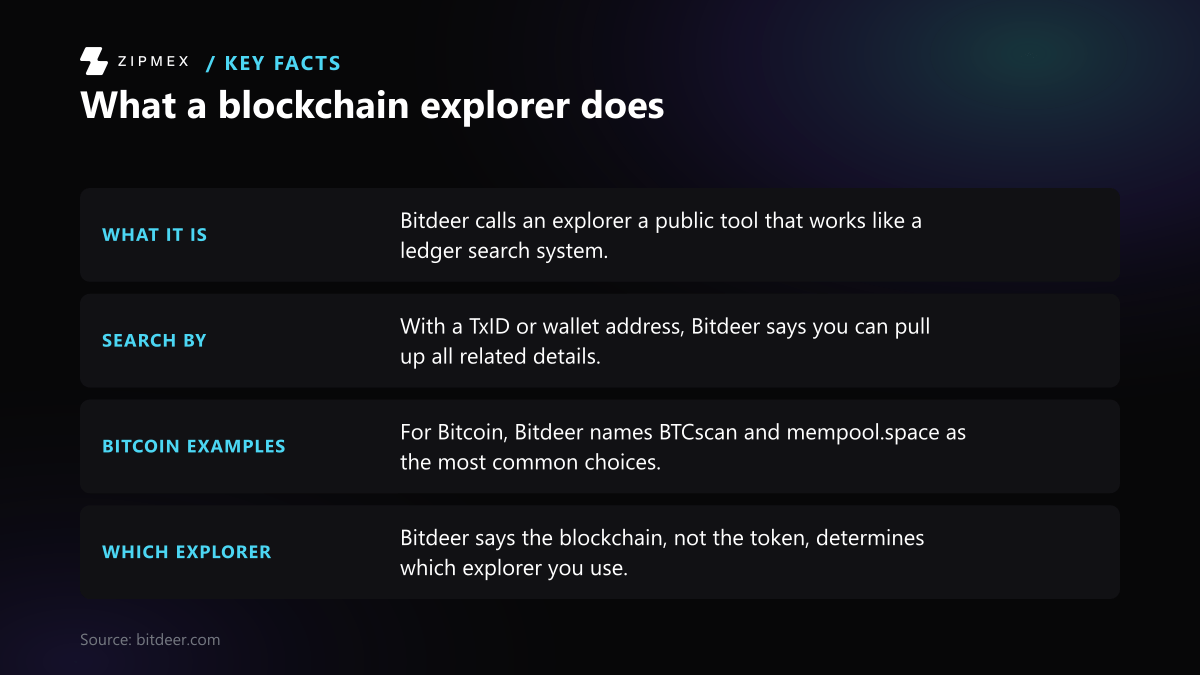

What a blockchain explorer shows
An explorer is a public website that reads a blockchain and shows its records: transactions, addresses, blocks and fees. You don't need an account to use one. On Bitcoin, the bitcoin.org guide says "all Bitcoin transactions are stored publicly and permanently on the network", and anyone can see the balance and history of any address.
You can search by:
- TxID / transaction hash. Etherscan calls it a reference number for the parties to the transaction. Your wallet or the sending service shows it after you broadcast.
- Address. This shows that address's balance and its full transaction history.
- Block number. This shows every transaction in that block.
Both Etherscan (Ethereum) and mempool.space (Bitcoin) tell users to put the TxID or address into the search box at the top of the page.
Step 1: Match the chain, not the token name
Each explorer reads one blockchain. A token with the same name can exist on several chains, and each copy is recorded only on its own chain.
USDT is the usual example. Tether's list of supported networks includes Ethereum (ERC20), Tron (TRC20), Solana, TON, Avalanche, Aptos, NEAR and others. A USDT transfer sent over Tron appears only on a Tron explorer. It never appears on Etherscan, and the reverse is also true. Tether's list does not include BNB Smart Chain for USD₮, so USDT on that chain is not one of Tether's directly issued versions.
To find the chain, check the network label in your wallet's transaction history or in the sending service's withdrawal record. The TxID format can also help. Ethereum-style hashes start with 0x and are 66 characters long. A Bitcoin TxID is 64 hexadecimal characters with no prefix.
Step 2: Search the TxID
Paste the full TxID into the explorer's search box. Search by TxID rather than by address when you can, because an address search shows the whole history and you then have to find the right transfer in it.
If the explorer finds nothing, check these in order:
- Wrong chain. This is the most common cause. Go back to Step 1.
- Incomplete paste. Check that the whole hash was copied.
- The transfer was never broadcast, or was dropped. On Ethereum, Etherscan says a pending transaction can be dropped from nodes, for example when its gas price is too low or node pools are full. A dropped transaction is not recorded on-chain.
What is your explorer telling you?
Answer a few questions about what the explorer shows for your TxID to see what it means and what to check next.
Did the explorer find your TxID?
- Yes, it shows a transaction page → next question
- No result → next question
Does the explorer read the same chain as the network label in your wallet's transaction history or the sending service's withdrawal record?
- No, or I am not sure → Most likely the wrong chain
- Yes, the chains match → next question
Did you paste the whole hash? Ethereum-style hashes start with 0x and are 66 characters long; a Bitcoin TxID is 64 hexadecimal characters with no prefix.
- No, or it looks short → Paste the full hash again
- Yes, the full hash → It may never have been broadcast, or was dropped
Which kind of chain carried the transfer?
- Ethereum or another EVM chain → next question
- Bitcoin → next question
What status does the transaction page show?
- Pending → Waiting to be included in a block
- Failed → Included, but it did not do what it was meant to
- Dropped or Replaced → Dropped or replaced: not this transfer
- Success → next question
Is the transaction confirmed in a block?
- Unconfirmed, waiting in the mempool → Probably a low fee rate
- Confirmed → next question
Does the full "To" address match the address you meant to pay, character by character (not only the first and last few characters)?
- Yes, every character matches → On-chain and to the right address
- No, or I only checked the ends → Check for address poisoning
Each explorer reads one blockchain, and a token with the same name is recorded only on its own chain: a USDT transfer sent over Tron appears only on a Tron explorer. Find the network label in your wallet or withdrawal record, then search an explorer for that chain.
An incomplete paste returns no result. Copy the whole TxID again from your wallet or the sending service and search once more.
If the chain and hash are right but nothing shows, the transfer may not have been broadcast, or was dropped. On Ethereum, a pending transaction can be dropped from nodes, for example when its gas price is too low or node pools are full, and a dropped transaction is not recorded on-chain. Ask your wallet or the sending service.
A broadcast transaction waits in a pool of pending transactions until a validator includes it in a block, and a low fee can leave it waiting. A pending transaction can be replaced by sending a new one with the same nonce and a higher gas price; without the same nonce, the new one will most likely get stuck as Pending too.
A failed transaction is on-chain but its changes are reverted, and the fee is paid regardless of whether a transaction succeeds or fails. The funds it was meant to move did not move.
A dropped transaction is not recorded on-chain. If it shows as Replaced, a new transaction with the same nonce took its place, so look up that transaction instead. A mined transaction cannot be canceled or replaced.
A transaction unconfirmed for a long time is probably using a lower fee rate than others in the mempool. If it was sent with RBF on, you can replace it with a copy that pays a higher fee; if you control one of its outputs, CPFP can raise its effective fee rate. Both are done in your wallet, not on the explorer.
For a token transfer, also check the token transfer line shows the right amount and token contract, since the native Value field is often zero. On Bitcoin, six confirmations is the minimum recommendation for high-value transfers. If the recipient's platform has not credited it yet, contact that service: it has its own threshold.
A confirmed transfer to the wrong address is still confirmed, and a Bitcoin transaction cannot be reversed, only refunded by the person receiving the funds. Lookalike addresses share the same first and last few characters and are planted in your history with zero-value or tiny transfers. Compare every character, and confirm the address in your wallet before you send again.
This covers only Ethereum-style and Bitcoin explorers as the article describes them; other explorers may label statuses differently, and no explorer can show who owns an address or recover funds sent to the wrong chain or address.
Step 3: Read the status
On Ethereum and EVM chains
Etherscan's transaction page shows one of these statuses: Success, Pending, Failed or Dropped. A dropped transaction can then show as Replaced.
- Pending. ethereum.org says a broadcast transaction waits in a pool of pending transactions until a validator includes it in a block. A low fee can leave it waiting.
- Success. The transaction is in a block. After that, ethereum.org says the block is upgraded to "justified" and then "finalized". Once finalized, it "could only ever be changed by a network level attack that would cost many billions of dollars."
- Failed. The transaction was included but did not do what it was meant to do. ethereum.org says "the fee is paid regardless of whether a transaction succeeds or fails". If a transaction runs out of gas, its changes are reverted "but all the gas provided will still be consumed".
- Dropped / Replaced. Etherscan says a mined transaction "cannot be canceled or replaced". A pending one can be replaced by sending a new transaction with the same nonce and a higher gas price. The nonce is the account's sequential transaction counter. If you don't reuse the nonce, the new transaction will most likely get stuck as Pending too.
For a token transfer such as USDT or another ERC-20, look at the token transfer lines on the transaction page. The native Value field shows only the ETH that moved, which is often zero for a token transfer.
On Bitcoin
A Bitcoin transaction is either unconfirmed (waiting in the mempool) or confirmed in a block. Each later block adds one confirmation.
- Unconfirmed for a long time. mempool.space says such a transaction "is probably using a lower fee rate relative to other transactions currently in the mempool."
- If the transaction was sent with RBF (Replace-By-Fee) turned on, you can replace it with a copy that pays a higher fee. - If you control one of its outputs, you can use CPFP (Child-Pays-For-Parent) to raise its effective fee rate. - Both are done in your wallet, not on the explorer.
- Confirmations. Bitcoin aims for one block about every 10 minutes, but bitcoin.org says confirmation timing is unpredictable and that "transactions do not become irreversible immediately." Its table calls six confirmations the "minimum recommendation for high-value bitcoin transfers."
Step 4: Check the receiving address in full
A confirmed transfer to the wrong address is still a confirmed transfer. bitcoin.org says a Bitcoin transaction "cannot be reversed, it can only be refunded by the person receiving the funds."
Compare the "To" address on the explorer with the address you meant to pay, character by character. Checking only the first and last few characters is not enough because of address poisoning:
- Etherscan describes scammers who create a lookalike address "using the same first and last few characters as the victim's address".
- They send zero-value or tiny transfers so the lookalike shows up in the victim's history.
- The victim may later copy the lookalike from that history by mistake.
Etherscan's advice:
- These entries don't mean your wallet is compromised.
- Etherscan mutes them and marks them with a grey warning icon.
- Check the addresses listed just before and after the one you use.
- Confirm in your wallet that the address matches exactly before you send.
What an explorer cannot tell you
- Whether the recipient's platform has credited the funds. A service usually has its own confirmation threshold before it credits a deposit, so contact that service. mempool.space says it "only provides data about the Bitcoin network" and sends users to the wallet or company that created the transaction.
- Who owns an address. Some explorers add labels, but an unlabelled address can belong to anyone.
- How to get funds back from a wrong chain or a wrong address. No explorer can move or recover funds.
Quick checklist
| Check | What to look for |
|---|---|
| Chain | The network in your wallet or withdrawal record matches the explorer |
| TxID | Full hash pasted; 0x prefix for EVM chains |
| Status | Success/confirmed, plus enough confirmations or finality |
| Token line | For tokens, the token transfer shows the right amount and token contract |
| Address | The full "To" address matches, character by character |
| Fee | On Ethereum, a failed transaction still paid its fee |
Limitations: details differ between explorers and chains. This guide uses Etherscan for Ethereum and mempool.space for Bitcoin, and other explorers may label statuses differently.
For what to do after a transfer arrives, see [how a cold wallet compares with a hot wallet for storing crypto](/blog/how-to-store-and-access-crypto-assets-safely-complete-2026-guide/).